If your store runs on Zendesk and you’re not switching, you have two ways to add a Zendesk AI chatbot. You can turn on Zendesk’s own AI agents, billed per automated resolution on top of your seats. Or you can plug an ecommerce AI agent like Zipchat into Zendesk, billed per reply, trained on your catalog.
Both keep your team in the same Zendesk views, macros, and queues. The difference shows up in three places: what the AI knows on day one, whether it can sell, and how the bill grows as volume grows.
A CX lead put the brief to us on a sales call: “We don’t want to change how the team works.” This guide is written for that team. If you’re weighing a move off Zendesk, read our guide to Zendesk alternatives (for switchers) instead.
Zendesk AI chatbot vs Zipchat inside Zendesk at a glance
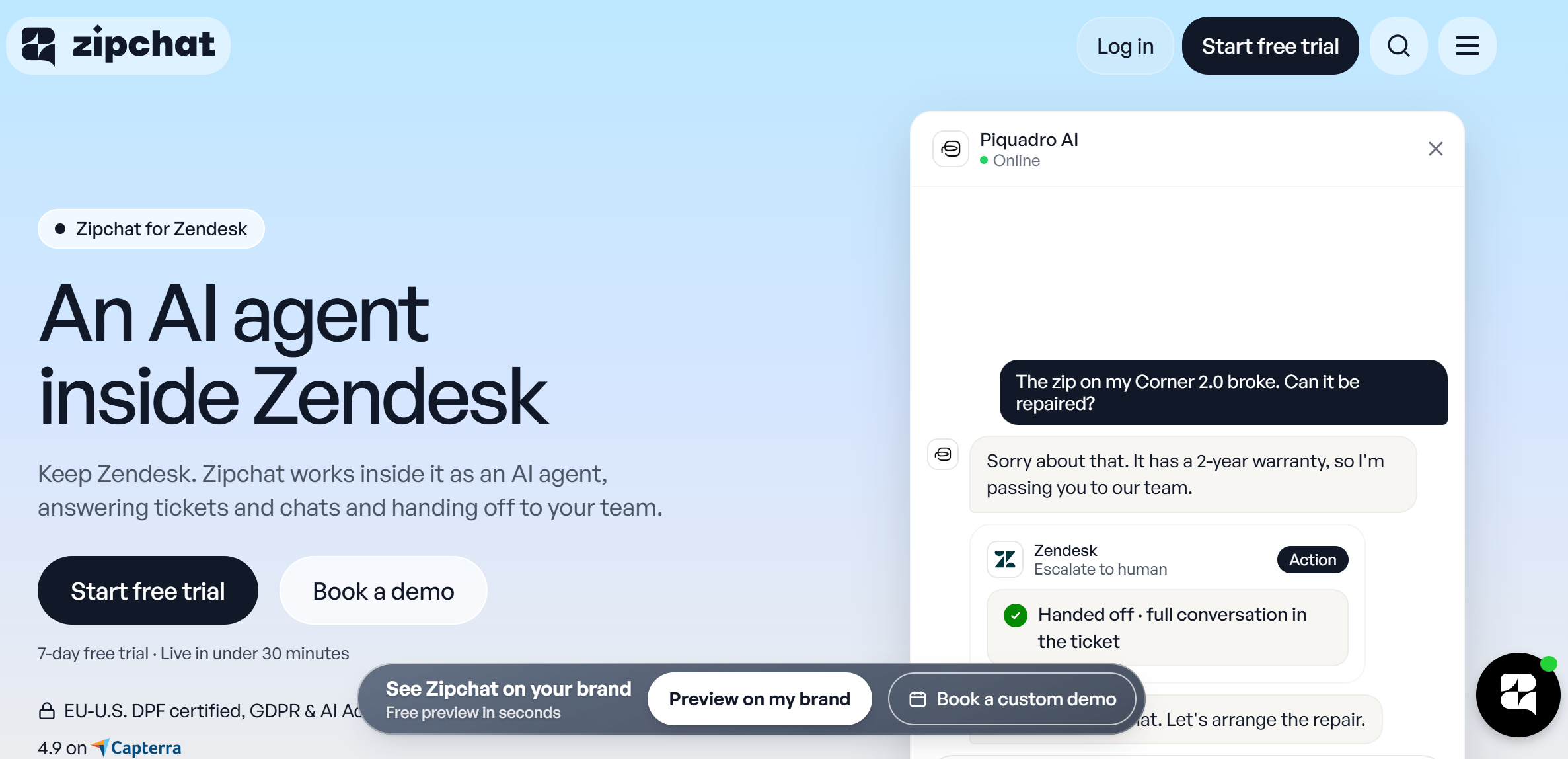
Zendesk prices below come from Zendesk’s pricing page, checked in November 2026.
| Zendesk AI agents | Zipchat inside Zendesk |
|---|
| What it is | Zendesk’s built-in AI agent for messaging, email, and voice | An ecommerce AI agent that works inside your Zendesk account |
| Pricing model | Per agent seat, plus a fee per automated resolution | Per AI reply, flat monthly plan, unlimited team members on every plan, Starter included |
| AI cost | 5 to 10 automated resolutions per agent/month included, then $1.50 (committed) or $2.00 (pay-as-you-go) each | From $64/month for 750 AI replies, Zendesk connector included |
| Main knowledge source | Help center articles and connected knowledge sources | Product catalog, help articles, and policy documents |
| Channels inside Zendesk | Messaging, email, voice (voice needs Zendesk voice) | Email tickets and the Zendesk widget |
| Escalation | Hands off to a human agent based on request, procedure, or unsupported scenario | Unassigns itself and leaves an internal note for the agent who picks it up |
| Selling | Not a stated focus | Product questions, recommendations, cart recovery |
| Setup | Messaging, knowledge, use cases, and procedures | Connect Zendesk, add knowledge, choose handoff rules |
| Best for | Service-heavy teams with a mature help center | Stores where pre-sale and product questions fill the queue |
What do Zendesk’s own AI agents do?
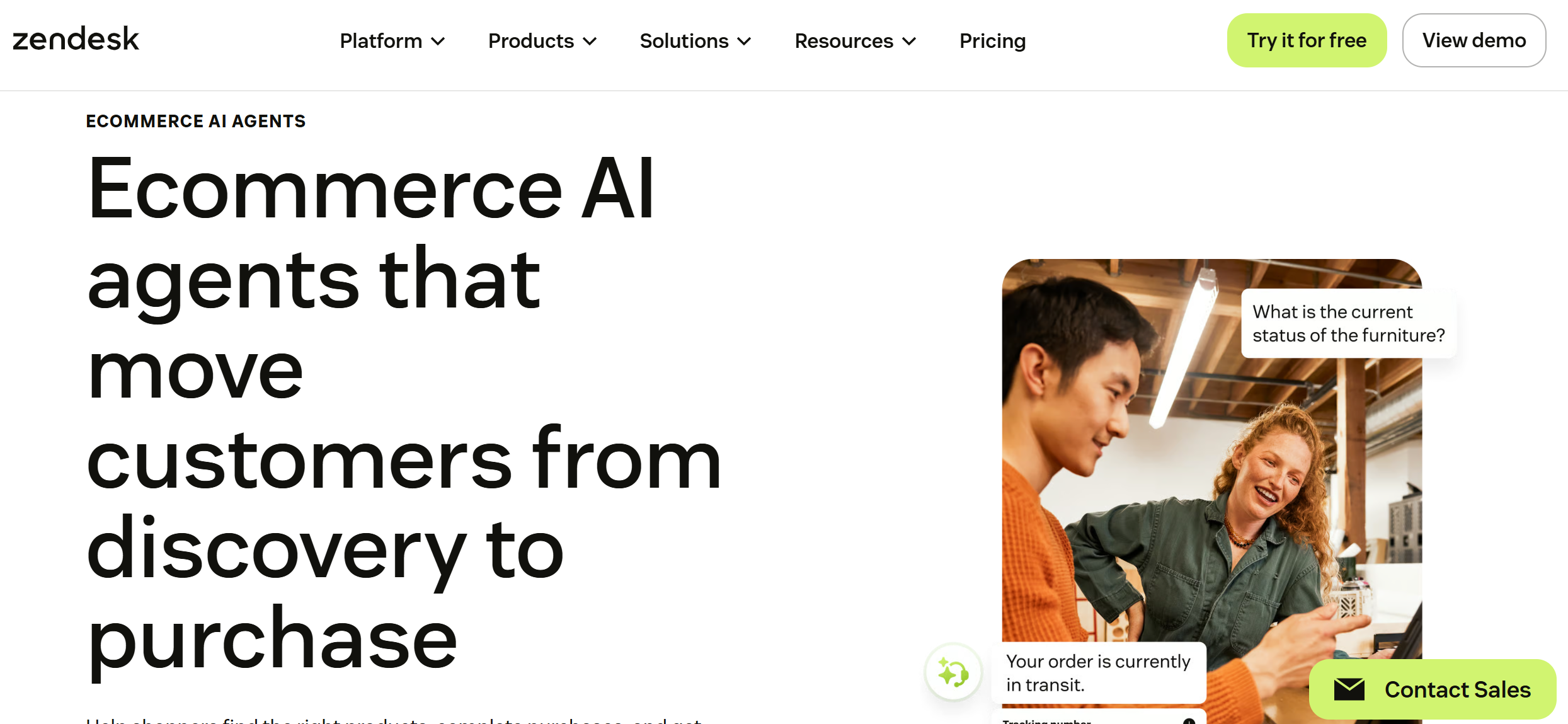
Zendesk AI agents answer customers on their own, then pass the conversation to a person when they can’t resolve it. They run on messaging (web and in-app chat, social), on email, and on voice if you have Zendesk voice.
Zendesk is a full customer service platform, so the AI agent sits next to ticketing, routing, and reporting you already pay for. Zendesk says its AI agents can resolve up to 80% or more of service issues. Treat that as a vendor ceiling, not a forecast for your queue.
From Answer Bot to agentic AI
Zendesk’s first bot was Answer Bot, which suggested help-center articles in reply to tickets. It was later renamed and folded into what Zendesk now sells as AI agents. The current version uses agentic AI.
You describe a policy in plain language, and the AI agent turns it into a “generative procedure” that runs the conversation. It can ask clarifying questions, handle more than one issue in a single email, and call your systems through actions and API integrations you describe.
A few details about these automation capabilities matter for stores:
- Knowledge comes from your help center. The AI agent answers from connected knowledge sources, so a thin help center means thin answers.
- No buttons or carousels in generative procedures. Zendesk’s own documentation lists this as a current limitation. Rich formatting only works in scripted dialogues.
- Email gets one unified reply. The AI agent strips old replies and signatures, reads attached images and PDFs, and answers every topic in a single message.
- Copilot is separate. It helps your human agents (suggested replies, auto assist) and costs $50 per agent/month as an add-on.
This is a long way from the old scripted Zendesk chatbot. For a service team with clean help-center content and a lot of policy questions, it’s a strong setup. Where it gets thinner is the shopper who asks, “Which of these two jackets runs warmer?”
For a fuller look at the platform itself, see our Zendesk review.
Zendesk AI pricing: how the AI agents are billed
Zendesk AI agents are included in every Support and Suite plan, but usage is metered. You pay per automated resolution: a conversation the AI agent closed with no human involved.
Here’s how it stacks up, from Zendesk’s pricing page in November 2026:
| Plan | Seat price (annual) | Seat price (monthly) | Included automated resolutions |
|---|
| Support Team | $19/agent/month | $25/agent/month | 5 per agent/month |
| Suite Team | $55/agent/month | $69/agent/month | 5 per agent/month |
| Suite Professional | $115/agent/month | $149/agent/month | 10 per agent/month |
| Suite Enterprise | Contact sales | Contact sales | Contact sales |
Past the included amount, each resolution costs $1.50 if you commit to a volume, or $2.00 on pay as you go. On the Support Team, AI agents for chat also need Zendesk messaging turned on.
The included allowance is small. A five-seat Suite Professional team gets 50 automated resolutions a month. A busy store can burn through that by Tuesday.
What that looks like for a real queue
Take a five-agent team on Suite Professional where the AI closes 1,000 conversations a month.
Seats:        5 x $115            = $575/month (you pay this either way)
Included:     5 x 10 resolutions  = 50 free
Billable:     1,000 - 50          = 950 resolutions
AI cost:      950 x $1.50         = $1,425/month (committed)
              950 x $2.00         = $1,900/month (pay-as-you-go)
The seat cost doesn’t change with either option, because you’re keeping Zendesk. The number to compare is the AI line: $1,425 to $1,900 a month in this example, and it rises with every resolution.
What does an ecommerce AI agent add inside Zendesk?
An ecommerce AI agent brings product knowledge and sales skills into the Zendesk account you already run. Your agents keep working in Zendesk. The AI takes the first pass at incoming tickets and chats.
Think of it as a Zendesk AI integration rather than a second helpdesk. Here’s what Zipchat does inside Zendesk:
- Answers tickets from email and the Zendesk widget. Customers write to the same addresses and chat in the same widget they use today.
- Trains on your catalog from day one. Product data, variants, help articles, and policy documents go in at setup. Helpdesk AI tends to lean on past tickets and help-center articles, which rarely cover “Will this fit a 15-inch laptop?”
- Hands off with context. When a person is needed, Zipchat unassigns itself and leaves an internal note so the agent who picks it up knows what happened.
- Runs on your current plan. It works on Zendesk Support and Suite plans, and it doesn’t need any Zendesk AI add-on.
The connector is included in every Zipchat plan, from Starter up. Zipchat for Zendesk covers the setup steps and plan details.
One boundary to know: Zipchat answers from knowledge by default. Refunds, order edits, and other actions need an Agentic Skill connected to your own tools through an API you provide. It doesn’t take actions in systems you haven’t connected.
How does escalation work: does the alert reach the team the same way?
Yes, with either option. The ticket stays in Zendesk, so the alert reaches your team through the same views, triggers, and notifications they already use.
With Zendesk AI agents
Zendesk’s AI agent escalates when the customer asks for a person, when a procedure tells it to, or (on email) when it hits a scenario it can’t support. The ticket then follows your routing rules to a human agent.
With Zipchat inside Zendesk
When Zipchat can’t resolve a ticket, or the customer asks for a person, three things happen:
- Zipchat stops replying on that ticket.
- It unassigns itself, so the ticket drops back into your normal routing.
- It leaves an internal note summarizing the customer’s question and what it already told them.
The customer doesn’t see the note. Your agent does, before they type a word. Nobody has to scroll a long thread to work out what the customer wants.
Because the ticket returns to the unassigned pool, any view built on “unassigned tickets” or any trigger that notifies on assignment fires as it does today. Your on-call rota, SLA policies, and the rest of your support operations don’t need rewriting.
How do you avoid two AIs answering each other in the same ticket?
Give each channel exactly one AI. If Zipchat answers email and widget tickets, switch off Zendesk’s AI agent on those channels, and check that no trigger sends its own automatic reply.
Duplicate answers usually come from one of three sources:
| Source | What happens | Fix |
|---|
| Zendesk AI agent still live on the same channel | Two AI replies land in one ticket | Turn the Zendesk AI agent off for that channel, or split channels between the two |
| Auto-reply triggers | A trigger sends a “we got your message” email or suggests articles, then Zipchat answers too | Pause or reword the trigger so it only fires on tickets the AI hasn’t answered |
| Assignment rules that loop | Zipchat unassigns itself, then a trigger or round-robin assigns the ticket back to it | Exclude the Zipchat user from automatic assignment rules |
A clean split also works. You can keep Zendesk’s AI agent on voice and hand email and chat to Zipchat. Each AI owns its channel, and nobody’s left wondering which bot said what.
Before going live, send five test tickets through each channel. Check the thread, the assignee, and the internal notes. Any overlap shows up there before a customer ever sees it.
Which option sells as well as supports?
Zipchat. Zendesk’s AI agents are built for service automation, and Zendesk describes them as “purpose-built for service.” Zipchat is built to support shoppers before they buy as well as after: it answers product questions, recommends items, and brings back abandoned carts.
Zendesk connects to Shopify through its own app and to Magento through partner apps, and its AI agents can run operational tasks like order lookups once you build the actions. Product discovery is a different job, and the gap is clearest on pre-sale questions:
| Shopper question | Zendesk AI agent | Zipchat |
|---|
| ”Is this in stock in a medium?” | Needs an API action you build | Answers from the synced catalog |
| ”Which of these is better for running in the rain?” | Answers only if a help article covers it | Compares products from catalog data |
| ”Show me something similar under $80” | No product cards in generative procedures | Recommends products from the catalog |
| ”I left something in my cart” | Not covered | AI follow-ups and cart recovery |
| ”Where’s my order?” | Needs an order-lookup action | Handles order tracking (automatic on Shopify) |
The sales features work best on Zipchat’s own channels: the site widget, WhatsApp, Instagram, and Messenger. That’s where proactive messages and cart recovery run. Inside Zendesk, Zipchat handles the support side and the product questions that arrive by email or through the Zendesk widget.
The selling side shows up in public results. Family Nation says AI handles 97% of its chats, with conversions up 15% (Zipchat pricing page). Ring Automotive reached a 12% conversion rate with higher AOV (success story). Treat those as single-store outcomes, not targets.
How long does each take to set up?
Zipchat inside Zendesk goes live in under 30 minutes. Zendesk says its AI agents deploy “in minutes,” but the real work is the knowledge and procedures underneath them.
Zipchat: three steps
- Connect Zendesk. Authorize Zipchat from its dashboard. No developer needed.
- Add your knowledge. Connect the catalog, then add help articles and policy documents.
- Go live. Choose when Zipchat hands off to your team, then turn it on.
Every new plan includes a free onboarding call, and there’s a 7-day free trial.
Zendesk AI agents: what the setup involves
- Turn on messaging if you want chat (required on Support Team).
- Connect knowledge sources. In practice, that means your help center, and the help center has to cover the questions customers ask.
- Write generative procedures for each use case: returns, order status, address changes.
- Build actions or API integrations for anything that needs live data, such as order lookups.
A team with a mature help center can move fast. A store whose answers live in product pages and people’s heads has writing to do first.
Pricing comparison: per agent plus resolutions vs. per reply
The two models charge for different things. Zendesk charges per resolved conversation, after the included allowance. Zipchat charges per AI reply, in a flat plan, whether the conversation ends in a resolution, a sale, or a handoff.
| Zendesk AI agents | Zipchat |
|---|
| Entry price | Included with any Support or Suite seat | $64/month (750 replies, about 300 conversations) |
| Mid volume | $1.50 to $2.00 per resolution past the allowance | $240/month (3,000 replies, about 1,250 conversations) |
| Higher volume | Committed resolution packages | $480/month (6,000 replies) or $960/month (14,000 replies) |
| Top tier | Contact sales | Unlimited plan, from $2,100/month |
| Seats | Per agent | Unlimited team members on every plan |
| Free trial | Yes | 7 days, plus 30-day money-back guarantee |
Zendesk prices checked on Zendesk’s pricing page, November 2026. Zipchat prices from zipchat.ai/pricing, same date.
Back to the five-agent example. The AI closing 1,000 conversations a month costs $1,425 to $1,900 in Zendesk resolutions. On Zipchat, about 1,000 conversations fit the Pro plan at $240 a month, which also covers the conversations it hands off. Your Zendesk seats stay the same in both cases.
The math flips for some teams. If your AI resolves fewer than the included allowance each month, Zendesk’s AI agents cost nothing extra. Run your own numbers with the ROI calculator.
Which option fits your store?
| If your situation is… | Choose | Why |
|---|
| Mostly post-purchase tickets, strong help center, low volume | Zendesk AI agents | Included allowance may cover you, and the knowledge is already written |
| Lots of pre-sale and product questions | Zipchat inside Zendesk | Catalog training answers what help articles don’t |
| AI volume in the hundreds or thousands per month | Zipchat inside Zendesk | Per-reply plans cost less than per-resolution fees at volume |
| Heavy voice support | Zendesk AI agents on voice, Zipchat on email and chat | Each AI owns one channel |
| You want chat on WhatsApp and Instagram with the same AI | Zipchat | One AI brain across site, social, and Zendesk |
| Enterprise compliance needs tied to Zendesk’s AI stack | Zendesk AI agents | Keeps every AI decision in one vendor’s audit trail |
When neither option is the right call
Adding AI won’t fix a broken process. A few situations call for something else first.
- Most tickets need a human decision. Damage claims, B2B quotes, and custom orders need judgment. Fix the routing and the macros before automating.
- Your knowledge is out of date. Both options answer from what you give them. Wrong shipping times in a policy doc become wrong answers at scale.
- You need actions in systems with no API. Neither AI can update a warehouse tool it can’t connect to.
- Volume is tiny. At a handful of tickets a day, good macros may do the job.
Frequently asked questions
Does Zendesk have an AI chatbot?
Yes. Zendesk calls it AI agents, and they’re included in every Support and Suite plan. They answer customers on messaging, email, and voice, follow procedures you describe in plain language, and hand off to a human when needed. Usage beyond a small monthly allowance is billed per automated resolution.
How much does Zendesk AI cost?
Zendesk AI agents come with Support and Suite plans, which run $19 to $115 per agent/month on annual billing. Each plan includes 5 to 10 automated resolutions per agent per month. After that, each resolution costs $1.50 committed or $2.00 pay-as-you-go.
Can I use another AI agent inside Zendesk?
Yes. Ecommerce AI agents like Zipchat connect to your existing Zendesk account, answer email tickets and Zendesk widget chats, and hand off to your team in the same ticket. Your agents keep their views and macros. Turn off Zendesk’s own AI agent on any channel the other AI covers.
How does handoff to a human work in Zendesk?
The ticket stays in Zendesk and follows your routing rules. Zendesk’s AI agents escalate on customer request or when a procedure says so. Zipchat unassigns itself and leaves an internal note with context, so the ticket lands in your normal queue and the agent sees the history first.
Does Zendesk AI work for ecommerce?
It works for post-purchase service, such as returns and order status, once you build order-lookup actions. It’s weaker on pre-sale questions, because it answers from help-center content rather than your catalog. Stores with many product questions often add an ecommerce AI agent inside Zendesk instead.
Keep Zendesk, add the AI that knows your products
You don’t have to change helpdesks to get an AI that sells. Connect Zipchat to Zendesk, add your catalog, and set the handoff rule. Your team keeps working the way it does today.
See Zipchat for Zendesk, or start the 7-day free trial and test it on this week’s tickets.
 Website chat Turns browsers into buyers on every page.
 WhatsApp Sell on the app your customers read.
 Instagram Answers every DM in seconds.
 Messenger Turns Facebook ad questions into sales.
 Email Answers every email in the same thread.