The best Magento search extension depends on what your shoppers type. If they search by SKU and part number, a tuned OpenSearch extension like Amasty or Mirasvit fixes most problems for a one-time fee. If they type “waterproof jacket for a toddler,” you need AI search that reads intent.
We compared seven options in November 2026: Magento’s native OpenSearch, Algolia, Klevu, Doofinder, Amasty Elastic Search, Mirasvit Search Ultimate, and Zipchat AI Search. For each, we checked Magento 2 support, SKU accuracy, setup work, hosting, and price on the vendor’s own site.
Magento search extensions compared
Prices come from each vendor’s site, checked in November 2026.
| Option | Type | Where search runs | Starting price | Best for |
|---|
| Magento native OpenSearch | Classic, built in | Your server | Free (hosting costs only) | Small catalogs with clean product data |
| Zipchat AI Search | AI search plus AI agent | Zipchat’s cloud | $64/month, search included | Descriptive queries and turning failed searches into sales chats |
| Algolia | Hosted search API | Algolia’s cloud | Free tier, then pay per request | Teams with developers who want full control |
| Klevu (Athos Commerce) | Hosted AI search | Athos cloud | Quote only | Mid-market and enterprise retailers |
| Doofinder | Hosted AI search | Doofinder’s cloud | $44/month | Mid-market stores that want no-code setup |
| Amasty Elastic Search | OpenSearch tuning extension | Your server | $349 (one-time, yearly renewal) | Merchants who want better relevance without a SaaS bill |
| Mirasvit Search Ultimate | OpenSearch tuning extension | Your server | $249 (one-time, yearly renewal) | Budget-conscious stores that need typo and synonym fixes |
The split that matters most is the “where search runs” column. Extensions that tune OpenSearch keep everything on your server. Hosted tools move the index to someone else’s cloud and bill you monthly.
What does Magento’s default search do, and where does it fall short?
Magento 2 uses OpenSearch as its catalog search engine. Since version 2.4.8, Adobe Commerce and Magento Open Source no longer support Elasticsearch, and the Elasticsearch 7 and 8 options are labeled “Deprecated” in the admin (Adobe 2.4.8 release notes, checked November 2026).
Out of the box, Magento’s search functionality gives you a fair amount:
- Full-text search across product attributes you mark as searchable.
- A search weight from 1 to 10 for each attribute, so a match in the name beats a match in the description.
- Synonym groups under Marketing > SEO & Search > Search Synonyms.
- Search terms with redirects, so “returns” can jump straight to your returns page.
- A quick autocomplete dropdown of past queries.
- Layered navigation on results, so shoppers can filter by category, price, and attributes.
So where does it break? Three places, mostly.
It matches words, not meaning. A shopper who types “something for a rainy commute” gets results containing “rainy” or “commute,” or nothing. OpenSearch can’t work out that they want a waterproof jacket.
Typos and plurals need manual work. Fuzzy matching is limited, and every synonym is a row someone types by hand. A catalog with 20,000 products and three languages means a synonym list nobody keeps current.
There’s no merchandising layer in Open Source. You can’t pin a product to the top of a query, run a search A/B test, or see a zero-results report worth acting on. Adobe Commerce customers get more options, including Adobe’s own Live Search service, but Magento Open Source stores don’t.
None of this makes native search bad. For a store with 300 well-named products, it’s fine. The pain starts with catalog size, languages, and shoppers who describe rather than name.
Fixing it pays off. Search drives conversions on Magento 2 as on any ecommerce website: Constructor’s 2025 study found that searchers convert at 2.5 times the rate of non-searchers. They made up 24% of visitors but brought in 44% of revenue (Constructor study, March 2025).
How we picked these Magento 2 search options
Each tool here appears on Zipchat sales calls with Magento merchants and agencies, or ranks for “Magento search” in its own right. We scored each one on five questions:
- SKU and code accuracy. Does “4471-B” still return product 4471-B?
- Natural language. Does a descriptive query return relevant products?
- Setup on Magento 2. Composer module, script, or API project?
- Hosting. Does it run on your OpenSearch cluster or in the vendor’s cloud?
- Pricing model. One-time license, monthly plan, per request, or quote.
We didn’t rank on visual search. It matters to some fashion stores, but it’s a separate buying decision.
1. Zipchat AI Search: best for descriptive queries and failed searches
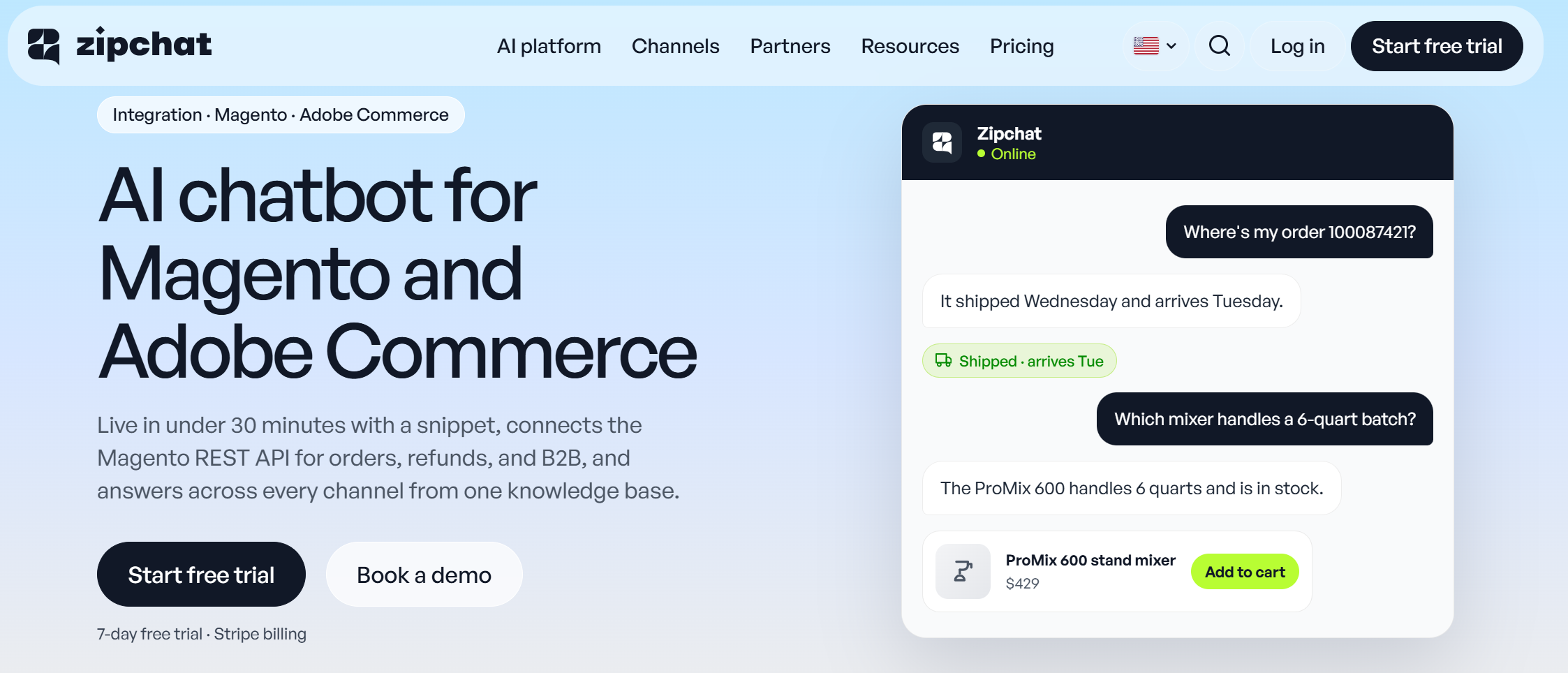
Zipchat AI Search puts an AI layer on the search bar your Magento theme already has. A shopper clicks the field, and the Zipchat overlay opens with products, pages, and a short AI answer. If the search can’t answer the question, the shopper moves into a chat with the same AI agent that runs your website chat, WhatsApp, and email.
That last part is the reason to pick it. In most search tools, a failed search ends in a “no results” page. In Zipchat, it turns into a conversation.
How it works on Magento. On Shopify, Zipchat borrows the store’s own search for product cards. Magento is different. On Magento and other non-Shopify platforms, Zipchat AI Search runs content search over the catalog and pages it crawls from your site.
That means results come from what’s on your product pages: titles, descriptions, attributes, prices. If you add a Google Merchant feed, feed items get priority in results, and the feed’s ID and GTIN fields help with exact matches.
How it connects. You add the Zipchat script in the Magento admin (Content > Design > Configuration, HTML Head), then point AI Search at your theme’s search field with a CSS selector. On Luma, that’s usually #search. Hyvä themes use different markup, so the selector changes. If you don’t know it, the Zipchat team finds it for you.
You also set the “see all results” URL. Point it at Magento’s own search results page (/catalogsearch/result/?q=), and OpenSearch still renders the full results grid. Zipchat sits in front of native search. It doesn’t remove it.
Store views. Search is localization-aware. A shopper searching from /de/ gets results from your German pages first.
Pricing. AI Search is included in every Zipchat plan, from $64/month billed annually, with a 7-day free trial (Zipchat pricing, checked November 2026).
Pros
- Failed searches become sales conversations, not exits.
- Handles vague, descriptive queries and asks a follow-up question when it needs one.
- No module on your server, so nothing breaks on a Magento upgrade.
Cons
- Results depend on crawled content, so price and stock changes show up after the next rescan. Rescans run weekly on Starter and Growth plans, daily on Pro and above.
- SKUs only match if they appear on the page or in the feed.
Best for: Magento stores where shoppers describe what they want, and where support questions (“do you ship to Norway?”) land in the search bar. See how it fits your catalog on our page about AI search for Magento.
2. Algolia: best for teams with developers

Algolia is a hosted search API with an official, open-source Magento 2 extension. It indexes your catalog in Algolia’s cloud and swaps the storefront search for Algolia’s autocomplete and InstantSearch results.
Magento 2 support. The extension supports Magento Open Source and Adobe Commerce 2.4, installs with Composer, and needs PHP 8.2 to 8.4. From version 3.18, a backend search adapter lets category pages use Algolia too.
Key features
- Typo tolerance and relevance tuning out of the box.
- NeuralSearch (keyword plus semantic) on the Elevate plan.
- Merchandising rules, A/B testing and analytics.
- Ask AI, a separate product, for answers in the search bar.
Pricing. The extension is free. Algolia’s free plan covers up to 10,000 search requests a month. Grow charges $0.50 per 1,000 extra requests, and Elevate is an annual contract.
Pros
- Fast results, with a setting for almost every ranking decision.
- Strong exact matching for SKUs.
Cons
- Real tuning needs a developer, and the queue-based indexing needs cron jobs that work.
- Pay-per-request bills climb in peak season.
Best for: agencies and in-house teams on Adobe Commerce or headless builds who want control over every ranking rule.
3. Klevu (Athos Commerce): best for mid-market and enterprise retailers
Klevu is an AI search and merchandising platform, now part of Athos Commerce alongside Searchspring. It’s been a Magento staple for years, and the new Athos Commerce module for Magento 2.4 is listed on the Adobe Commerce Marketplace.
Magento 2 support. The Marketplace listing marks the module as free, compatible with Magento Open Source and Adobe Commerce 2.4, and says you need an Athos Commerce account to use it.
Key features
- AI search with natural language processing and automatic synonyms.
- Merchandising and personalization.
- Offsite product feed management on the same platform.
Pricing. Quote only.
Pros
- Mature Magento integration history.
- Search, merchandising, and feeds from one vendor.
Cons
- No public pricing.
- Existing Klevu customers face a platform migration as Athos retires older platforms.
Best for: retailers with a merchandising team and an annual budget for search.
4. Doofinder: best for no-code setup on Magento
Doofinder is a hosted search layer with recommendations and a quiz maker in every plan. It lists Magento as a supported platform and pitches plug-and-play installs with no code.
Key features
- AI-guided search, synonyms, and voice search on all plans.
- Multi-index search and AI visual tagging on Pro and above.
- 1:1 personalization and visual search on Advanced.
- An AI Assistant on Pro, Advanced, and Enterprise, priced on request.
Pricing. Basic is $44/month billed annually ($49 monthly) for up to 10,000 requests. Pro is $134/month, and Advanced is $314/month.
Read the request rules before you pick a tier. Doofinder counts a request each time its server responds, starting after the third keystroke. Indexing 1,000 items counts as 10 requests.
Pros
- Quick launch without developer time.
- Search, recommendations, and quizzes in one subscription.
Cons
- Keystroke-based counting pushes busy stores up tiers fast.
- The AI Assistant is a separate quote.
Best for: mid-market Magento stores that want hosted search running this week.
5. Amasty Elastic Search: best for tuning OpenSearch without a monthly bill

Amasty Elastic Search is a Magento 2 extension that makes your existing OpenSearch engine smarter. Don’t let the name fool you. Since Magento 2.4.8 needs OpenSearch, this is the module merchants use on top of it.
Key features
- Relevance rules and attribute-level weighting.
- Synonyms and stop words managed in the admin.
- An autocomplete popup with products, categories, and pages.
- Search across products, categories, CMS pages, and blog posts.
Pricing. $349 for the Elastic tier, a one-time license with a paid yearly renewal for updates and support. Amasty Advanced Search, the $289 entry tier, upgrades Magento’s default search for stores that don’t need the Elastic features. A Premium tier costs $529. Adobe Commerce and Cloud editions cost more.
Pros
- Everything stays on your server and your data.
- Fixes most “can’t find it” complaints for a one-time fee.
Cons
- Still keyword search. Descriptive queries don’t get much better.
- Your team maintains it through every Magento upgrade.
Best for: stores with a developer on hand that want better relevance and no SaaS contract.
6. Mirasvit Search Ultimate: best budget pick for typo and synonym fixes
Mirasvit Search Ultimate is the other big OpenSearch tuning extension. Mirasvit says it works with Elasticsearch 7, 8 and 9 and with OpenSearch. Older reviews and some Mirasvit pages still use its earlier name, Sphinx Search Ultimate.
Key features
- Autocomplete with product images and prices.
- Spell correction, synonyms, and stop words.
- Search across products, categories, CMS pages, and third-party blogs.
- Free installation by Mirasvit’s developers.
Pricing. $249 for Magento Open Source, $539 for Adobe Commerce, and $829 for Commerce on Cloud. Renewal for updates and support is $150 a year.
Pros
- Lowest one-time license on this list.
- Unencrypted source code, so your developer can customize it.
Cons
- Keyword-based at its core, like Amasty.
- Feature-heavy admin takes time to learn.
Best for: small and mid-size Magento stores that want typo and synonym fixes on a tight budget.
7. Magento native OpenSearch: best for small, clean catalogs
Native Magento site search costs nothing beyond hosting. Before you buy anything, give it a fair test.
Quick fixes that help
- Raise the search weight on name and SKU, and lower it on long descriptions.
- Turn off “Use in Search” for noisy attributes like care instructions.
- Add synonym groups for your top 50 failed queries.
- Use search term redirects for “shipping,” “returns,” and “size guide.”
Pros
- Free and already installed.
- Exact SKU matching works well when the SKU attribute is searchable.
Cons
- No intent understanding.
- Manual synonym upkeep and thin analytics.
Best for: stores under a few thousand products with clean names and a single language.
How do you set up autocomplete and advanced search in Magento 2?
Magento 2 search autocomplete shows suggestions as shoppers type, and its settings sit in one place: Stores > Settings > Configuration > Catalog > Catalog > Catalog Search (Adobe docs, checked November 2026).
- Set the minimum characters before search runs with “Minimal Query Length.” Keep it inside the range set in your OpenSearch config, or the two will clash.
- “Autocomplete Limit” caps the dropdown. The default is 8, and a shorter list loads faster.
- “Enable Search Suggestions” and “Enable Search Recommendations” offer alternative and related queries. Adobe warns both can affect server performance, so test them under load.
Autocomplete cuts typing time, and real-time suggestions keep shoppers moving toward a product. Native autocomplete suggests queries, though, not categories. To show category results in the dropdown, enable them in your search extension’s settings. Amasty and Mirasvit both add categories to their autocomplete popups.
Magento also ships a form-based advanced search page at /catalogsearch/advanced. Shoppers fill in fields like name, SKU, and price range. To customize the search URL, Amasty adds a “Custom URL Key” setting under Stores > Configuration > Amasty Extensions > Advanced Search, so /catalogsearch/result/?q=yellow becomes /search/yellow.
Search extensions also track popular queries for analytics. Native Magento has a basic version under Marketing > SEO & Search > Search Terms, which counts how often each term is used.
How does AI search keep exact SKU results while understanding natural language?
It runs two kinds of matching side by side in the same search process. Keyword matching finds exact strings like “4471-B.” Semantic matching finds products that mean the same thing as the query. Good AI search tools blend both, so a part number still wins on a part-number query.
This is the fear we hear most from Magento merchants with parts catalogs. Here’s how each type handles it:
- Amasty, Mirasvit and native OpenSearch are keyword engines. SKU matching is their strength.
- Algolia pairs keyword ranking with NeuralSearch on its top plan.
- Zipchat AI Search on Magento matches SKUs that appear in clear text on product pages or in a connected product feed. A clean feed with ID and GTIN fields helps most.
Our advice for SKU-heavy stores: set Zipchat’s “see all results” link to Magento’s results page. Shoppers get AI help on descriptive queries, and OpenSearch’s exact matching still powers the full grid.
Test before you trust any vendor. Pull your top 50 queries, add 10 exact SKUs and 10 brand names, then run them in a trial. Our guide to site search best practices has a fuller test plan.
What is the setup effort for each option on Magento 2?
Setup splits into two camps: Magento extensions your developer installs on the server, and hosted tools that sync your catalog to the cloud.
| Option | What setup involves | Who does it |
|---|
| Native OpenSearch | Attribute weights, synonyms, redirects in the admin | Store manager |
| Zipchat AI Search | Script in HTML Head, search field selector, see-all URL | Store manager; Zipchat team helps with the selector |
| Algolia | Composer install, API keys, indexing queue and cron | Developer |
| Klevu (Athos) | Free module plus account onboarding | Developer plus vendor |
| Doofinder | Plug-and-play connection, no code | Store manager |
| Amasty Elastic Search | Composer install, config, reindex | Developer |
| Mirasvit Search Ultimate | Composer install (Mirasvit offers free installation), reindex | Developer or Mirasvit |
On Adobe Commerce Cloud, any Composer module follows your normal deploy process. Budget a release cycle, not an afternoon.
Always test on staging first. Check search with full-page cache and Varnish switched on, and run your SKU test set in every store view.
How do the options compare on price and hosting?
The pricing model tells you more than the headline number. For an ecommerce business with a big Black Friday, it decides what your bill does in November.
| Option | Pricing model | Hosting | What raises the bill |
|---|
| Native OpenSearch | Free | Your server | Bigger OpenSearch cluster as you grow |
| Amasty Elastic Search | One-time license, yearly renewal | Your server | Edition (Open Source vs Commerce vs Cloud) |
| Mirasvit Search Ultimate | One-time license, $150/year renewal | Your server | Edition |
| Doofinder | Monthly plan by request volume | Doofinder cloud | Traffic and keystrokes |
| Algolia | Per request and per record | Algolia cloud | Traffic, catalog size, variants |
| Klevu (Athos) | Annual quote | Athos cloud | Contract scope |
| Zipchat AI Search | Monthly plan, search included | Zipchat cloud | AI conversations, not searches |
Self-hosted extensions suit merchants who want full control and low running costs. On license cost, they win. Add your OpenSearch hosting and developer hours before you compare them to a SaaS plan.
Hosted SaaS search suits high-traffic stores best, because the vendor carries the query load when traffic spikes.
How to choose the right Magento search extension
Match the tool to the problem you have today.
| If your store… | Look at | Why |
|---|
| Sells parts or B2B by SKU | Amasty, Mirasvit or Algolia | Strong exact matching |
| Gets vague, descriptive queries | Zipchat AI Search, Doofinder | Intent handling |
| Sees support questions typed into search | Zipchat AI Search | Search hands off to an AI agent |
| Has developers and wants full control | Algolia | API and ranking rules |
| Needs search live this week, no code | Doofinder, Zipchat AI Search | Hosted, quick setup |
| Wants no monthly bill | Amasty, Mirasvit | One-time license |
| Has a merchandising team and enterprise budget | Klevu (Athos) | Search, merchandising and feeds together |
If chat is also on your list, our roundup of Magento live chat and AI chatbots covers that side.
When none of these will fix your search
New search won’t help if your product data is weak. If titles say “Model X2” with no description, every engine struggles, AI or not. Fix titles and attributes first.
It also won’t help if shoppers don’t search. A store with 40 products and clear categories gets more from better navigation.
And if you’re moving off Magento within six months, wait. You’ll redo the integration on the new platform.
Frequently asked questions
What search engine does Magento 2 use?
Magento 2 uses OpenSearch. From version 2.4.8, Adobe Commerce and Magento Open Source no longer support Elasticsearch, and its options are marked deprecated in the admin. MySQL search was removed back in 2.4.0. Search extensions either tune OpenSearch on your server or replace it with a hosted engine.
How do I improve Magento search results?
Start in the admin. Raise search weight on name and SKU, remove noisy attributes from search, add synonyms for your top failed queries, and set redirects for common pages. If that’s not enough, add a tuning extension like Amasty or Mirasvit, or an AI layer for descriptive queries.
What is the best search extension for Magento 2?
It depends on your queries. For SKU-heavy catalogs, Amasty or Mirasvit tune OpenSearch for a one-time fee. Algolia suits teams with developers. For descriptive queries and searches that should turn into sales conversations, Zipchat AI Search adds an AI agent on top of your existing search bar.
Does AI search work on Adobe Commerce?
Yes. Adobe Commerce and Magento Open Source share the same storefront and admin, so script-based AI search like Zipchat works the same on both. Algolia and the Athos Commerce module also support Adobe Commerce 2.4. Adobe Commerce customers can use Adobe’s Live Search service as well.
Can I add AI search without replacing OpenSearch?
Yes. Magento needs OpenSearch to run, so it stays either way. Zipchat AI Search attaches to your existing search field through a CSS selector. Set its “see all results” link to Magento’s results page, and OpenSearch still powers the full results grid behind the AI layer.
Our pick for Magento search in 2026
For SKU-first catalogs, Mirasvit Search Ultimate gives the most for the money, with Amasty close behind. For stores where shoppers describe products, or type questions into the search bar, Zipchat AI Search is our pick. It keeps OpenSearch in place and turns dead-end searches into sales chats.
See how the setup works on Zipchat on Magento, or start a 7-day free trial and run your own query test.
 Website chat Turns browsers into buyers on every page.
 WhatsApp Sell on the app your customers read.
 Instagram Answers every DM in seconds.
 Messenger Turns Facebook ad questions into sales.
 Email Answers every email in the same thread.