Picking Magento live chat is harder than picking chat for Shopify. Most tools on the market were built Shopify-first. Their Magento support ranges from a full extension to a help article telling you to paste code into your theme.
We checked six options in October 2026: Zipchat, Zendesk, LiveChat, Tidio, Gorgias and Intercom. For each, we looked at four things: installation on Magento 2 and Adobe Commerce, order access, store view handling, and price.
Here’s the short version, covering the key features Magento buyers ask about. Every fact in this table comes from the vendor’s own site, checked in October 2026.
| Tool | How it connects to Magento | AI agent reads Magento orders? | Starting price | Best for |
|---|
| Zipchat | Script in the site header, plus an API skill for orders | Yes, through an API skill | $64/month | AI-first sales and support across store views |
| Zendesk | Partner apps in the Zendesk Marketplace | Not out of the box | $19/agent/month | Large teams already on Zendesk |
| LiveChat | Composer module for Magento 2 | No documented Magento order skill | $19/user/month | Human-led sales chat |
| Tidio | Script pasted per store view | No documented Magento order sync | Free, then $24.17/month | Small stores on a budget |
| Gorgias | Composer extension plus a store connection | No, AI Agent is Shopify-only | Pro plan or higher needed for Magento 2 | Helpdesk with order data in the agent sidebar |
| Intercom | No Magento integration; Zapier or custom build | Only with a custom build | $19/seat/month plus $0.99 per Fin outcome | Teams with developers and a broader support remit |
What should a Magento store look for in live chat or an AI chatbot?
Start with five questions. They decide more than any feature list.
- Does it install cleanly on your setup? A Composer module touches your codebase. A script doesn’t. Both work, but they need different people.
- Can the AI read your orders? “Where’s my order?” is the question your team answers most. If the bot can’t look up a Magento order, it can’t close that ticket.
- Does it understand store views? A German shopper on /de/ should get German answers from German content, at German prices.
- Who answers when the AI can’t? You want a clean handoff to a human, with the chat history attached.
- How is it priced as you grow? Per-seat tools charge for every hire. Usage-based tools charge for every conversation. Know which one you’re signing.
If a tool fails question 2, it’s live chat with a bot bolted on. That can be fine for a small catalog. It’s a poor fit for a mid-market store with thousands of orders a month.
Native Magento live chat extension or script: does it matter?
It matters less than vendors suggest. What matters is what each approach asks of your developers and your server.
A native Magento live chat extension (some vendors call it a live chat plugin) is a module you install with Composer.
LiveChat and Gorgias both work this way. Your developer runs commands over SSH, upgrades the setup, and redeploys. You then maintain that module through every Magento upgrade, like any other extension.
A script is a small piece of JavaScript loaded in your site header. Tidio and Zipchat work this way.
You paste it in the Magento admin under Content > Design > Configuration, in the HTML Head section, and clear the cache. Nothing runs on your server.
Our take: for the chat widget itself, a script is the lower-risk choice on Magento. It can’t break a deploy or conflict with another module.
The order data is a separate question, and that’s where the API connection does the real work.
1. Zipchat: best Magento AI chatbot for stores with several store views
Zipchat is an AI agent for ecommerce that sells and supports on your website, WhatsApp, Instagram, Messenger and email. On Magento and Adobe Commerce, it isn’t a native extension. It’s a script plus API connections.
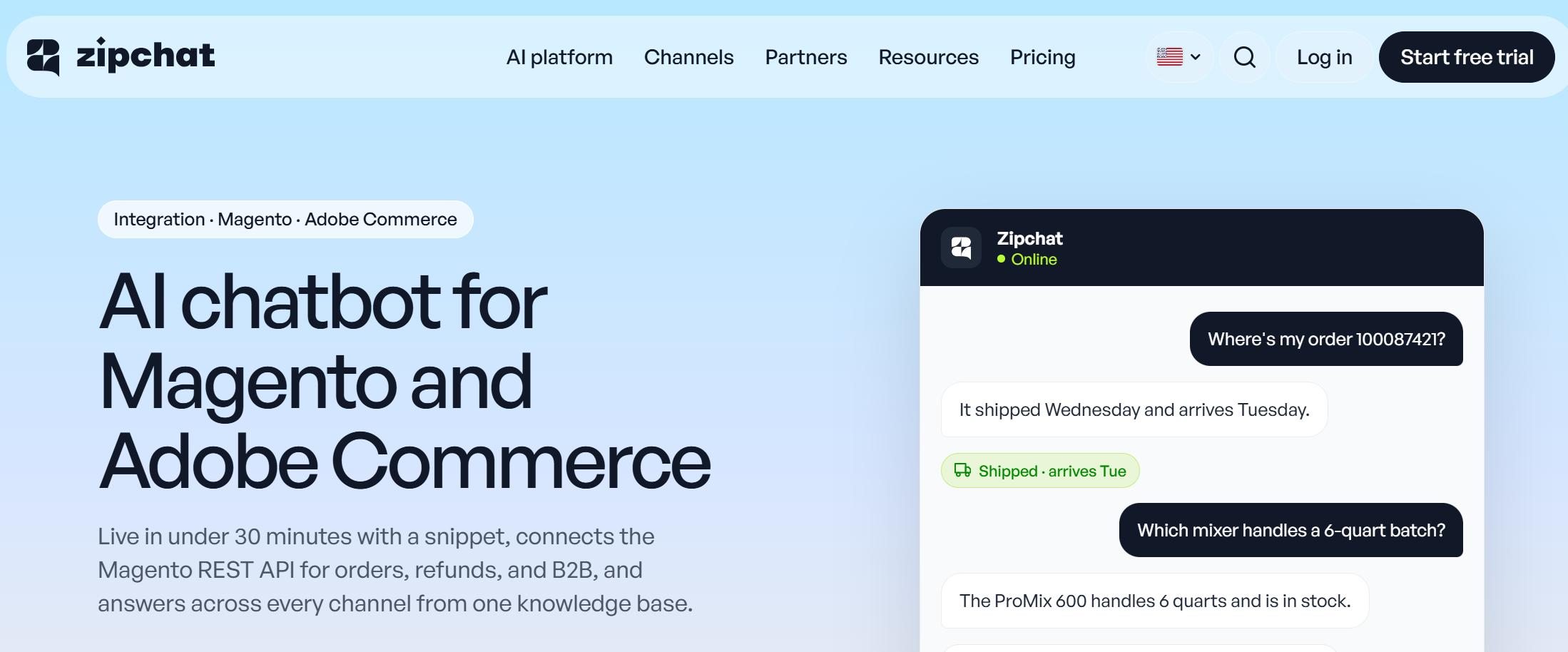
How it connects. You add one script to the site header. The Zipchat Success team helps with setup, so you’re not left reading docs alone.
Zipchat’s Magento integration page puts a standard catalog live in under 30 minutes. It allows one to two days for B2B, multi-store-view, and custom module setups.
Order tracking. Order data connects through an API skill (Zipchat calls these Agentic Skills). You create a Magento integration with access to orders, and the skill lets the agent answer order-status questions in chat. Skills act through APIs you provide, so someone needs to generate those credentials.
Store views and languages. Store views in different languages run on localization by URL pattern. You define /fr/ as French and /de/ as German, and the agent answers from the matching content. Stores with different prices or policies can run one agent per store, so the Italian store never quotes UK return rules.
Many of Zipchat’s high-value customers run on Magento and custom platforms. That’s why the setup leans on the Success team and on API skills.
Pricing. Plans start at $64/month billed annually, as of October 2026, with every channel and unlimited team members included. Higher plans include more AI agents, which matters if you run one agent per store.
Pros:
- Reads Magento orders through an API skill.
- Handles language store views by URL pattern.
- Sells as well as supports; no module to maintain.
Cons:
- No Magento admin panel module if your team prefers one.
- Order lookups need API credentials set up first.
Best for: mid-market Magento and Adobe Commerce stores with several store views that want the AI to handle most chats.
2. Zendesk: best for large teams already running Zendesk
Zendesk is a full helpdesk, with chat, email, voice, and AI agents in one workspace. It has no first-party Magento app. The Magento connection comes from partner apps in the Zendesk Marketplace.
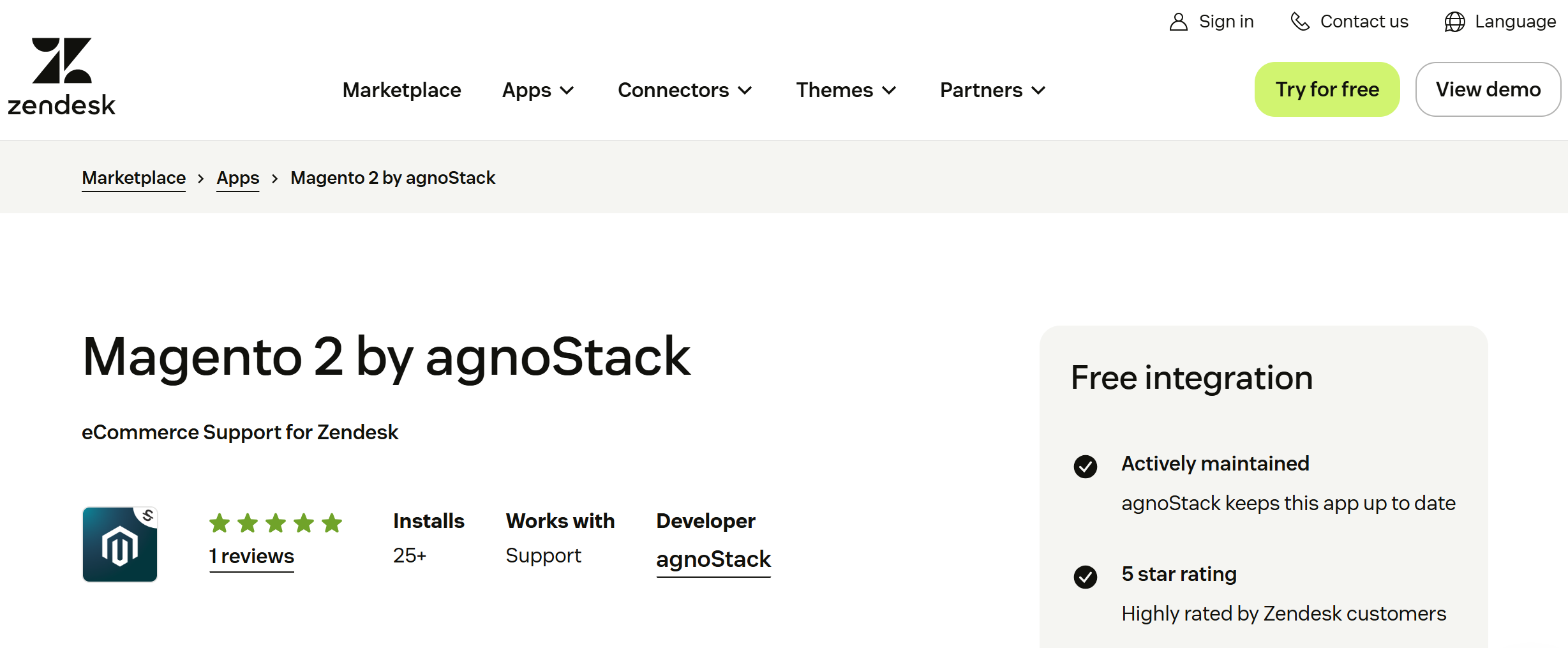
How it connects. Two partner apps are listed today: Magento 2 by agnoStack and Magento 2 by Zenplates. Both show Magento customer and order details to agents inside Zendesk. The chat widget itself installs with a script.
Order tracking. Agents can see orders in the sidebar. The AI agent is another story. We found no built-in Magento action, so automated order answers need a custom API action or a partner tool.
Store views and languages. Zendesk supports several brands and languages. Mapping each store view to a brand takes planning, and higher tiers unlock more of it.
Pricing. Support Team starts at $19 per agent per month, and Suite Team at $55, billed annually as of October 2026. AI agents bill extra per automated resolution, at $1.50 committed or $2.00 pay-as-you-go.
Pros:
- Mature helpdesk.
- Strong reporting.
- Partner apps bring Magento orders to agents.
Cons:
- Magento support depends on third parties.
- Per-agent plus per-resolution pricing adds up.
Best for: enterprise teams with Zendesk already in place across email and phone.
3. LiveChat: best Magento live chat extension for human-led sales
LiveChat is a live chat tool built around human agents, with an AI agent added on top. It’s one of the few vendors still shipping its own Magento 2 module.
How it connects. LiveChat’s Magento 2 guide installs the module with Composer and a few Magento CLI commands. You then sign in from Stores > Configuration.
The guide also asks you to disable Magento’s Page Cache, which is a real cost on a busy store. Ask your developer before you agree to it.
Order tracking. The module shows agents the value of a shopper’s cart. We found no documented skill that lets the AI agent look up Magento orders. Plans include 10 custom skills, which a developer could point at your API.
Store views and languages. Multilingual support, with 48 languages and agent groups per language, is on the Growth plan.
Pricing. New sign-ups now land on Text, LiveChat’s newer product. Essential is $19 per user per month, and Growth is $79, billed annually as of October 2026. Growth includes 200 AI resolutions a month.
Pros:
- Official Magento 2 module.
- Strong human chat tools.
- Proactive invitations.
Cons:
- Page Cache step.
- Magento guide last updated in 2023.
- AI resolutions are tightly capped.
Best for: stores where trained sales staff answer most chats.
4. Tidio: best budget option for small Magento stores
Tidio pairs live chat with Lyro, its AI agent. It’s cheap to start and easy to install, though its Magento support is thin.
How it connects. Tidio’s Adobe Commerce guide is a manual script install for its live chat widget. You paste the code into the HTML Head of each store view, then refresh the cache.
Order tracking. The guide covers the widget only. There’s no Magento order sync documented, so Lyro answers from your knowledge base only.
Store views and languages. Because the code goes in per store view, you control where the widget appears. Language handling comes from Lyro’s own settings.
Pricing. Free covers 50 conversations a month. Starter is $24.17 a month, and Growth starts at $49.17, billed annually as of October 2026. Lyro starts at $32.50 a month.
Pros:
- Low entry price.
- No server work.
- Quick to launch.
Cons:
No Magento order data.
Self-serve plans cap at 10 seats.
Best for: small Magento stores that need basic chat and FAQ answers.
Gorgias is an ecommerce helpdesk. Its Magento 2 integration is real, but its AI Agent doesn’t work on Magento.

How it connects. Gorgias’s Magento 2 guide has two steps. Your developer installs the extension over SSH with Composer. Then you connect the store, in one click or manually through Magento’s Integrations screen.
Order tracking. Agents see order history next to each ticket. The AI side is the catch. Gorgias’s own compatibility table marks AI Agent and Order Management as “Not Supported” for Magento. Flows still work.
Tracking links are limited too. Magento sends tracking numbers, and Gorgias builds URLs for USPS, UPS, FedEx, and Canada Post only.
Store views and languages. Gorgias handles several stores, and you assign channels to each one.
Pricing. The Magento 2 integration needs the Pro plan or higher as of October 2026. Plans are priced by ticket volume, from 50 to 5,000 tickets a month.
Pros:
- Proper Magento 2 extension.
- Order context for agents.
- Unlimited seats.
Cons:
- No AI Agent on Magento.
- Extension needs developer time.
Best for: human support teams that want Magento orders in their helpdesk.
Intercom is a support platform with Fin, a capable AI agent. It doesn’t integrate with Magento.
How it connects. Intercom’s own help center says it hasn’t built a Magento integration yet. It points you to a Zapier connector or to its developer hub. The Messenger widget installs with a script.
Order tracking. Fin can take actions in external systems, so a developer can connect it to your Magento API. Without that build, Fin can’t see your orders.
Store views and languages. Multilingual help centers come with Advanced. Multibrand Messenger needs Expert.
Pricing. Seats cost $19 (Essential, new-customer price), $85 (Advanced) or $132 (Expert) a month, billed annually as of October 2026. Fin adds $0.99 per outcome.
Pros:
- Strong AI agent.
- Polished inbox.
- Good if you also support a SaaS or app.
Cons:
- No Magento integration.
- Order lookups need a custom build.
Best for: teams with in-house developers and support needs beyond the store.
Can a Magento chatbot track orders?
Yes, but only if it can call Magento. A chatbot reads your FAQ pages on its own. Orders live behind Magento’s API, so the tool needs credentials and a way to use them.
Of the six tools here, three paths exist:
- Built for the AI: Zipchat’s API skill lets the agent look up the order and reply in chat.
- Built for human agents: Gorgias and the Zendesk partner apps show orders to your team, but their AI agents don’t answer from Magento data.
- Build it yourself: Intercom’s Fin, and possibly LiveChat’s custom skills, can reach Magento if a developer wires it up.
If order questions fill your inbox, put this test in every demo. Give the vendor a real order number and watch what the bot says. We cover the full playbook in our guide to live chat software for ecommerce.
How does a Magento AI chatbot handle store views, languages and currencies?
Store views are where Magento differs most from Shopify. One installation might run .com, .de, and .it, each with its own language, currency, and return policy. Your chatbot has to keep them apart.
There are two setups that work:
- One agent, several languages. If store views share prices and policies, one agent can serve them all. Zipchat uses localization by URL pattern: pages under /de/ belong to German, and German shoppers get answers from them.
- One agent per store. If prices or policies differ, run a separate agent for each store. Each one learns only its own catalog and rules, so currencies never mix.
Most other tools handle language through the chat widget’s settings. They don’t read your store view structure. That works for greetings, but answers can still pull from the wrong store’s content.
For a deeper look at language handling, see our guide to multilingual AI support.
How much developer time does Magento chat setup need?
Less than you’d think for the widget. More than you’d hope for order data. Here’s how the six compare.
| Tool | Widget install | Order data | Developer needed? |
|---|
| Zipchat | Script in header | Magento integration credentials for the API skill | Light, for credentials; Success team helps |
| Zendesk | Script | Partner app install and config | Light to moderate |
| LiveChat | Composer module, Page Cache change | Cart value only | Yes, SSH access |
| Tidio | Script per store view | None documented | No |
| Gorgias | Composer extension | Extension plus store connection | Yes, SSH access |
| Intercom | Script | Custom build via API | Yes, a real project |
A store manager can paste a script into Magento’s admin. Anything that runs Composer needs a developer with server access. Plan that time before you sign, especially on Adobe Commerce Cloud, where deploys follow a release process.
Test the chat system on staging first
Install on a staging store view before production. Check the widget with full-page cache and Varnish switched on, then run one real order lookup per store view.
How to set up Magento chat that shoppers use
Installing the widget is the easy part. These settings decide whether shoppers open it, and whether it helps when they do.
Customize the chat widget to match your store’s branding: colors, logo, agent name, and position. A widget that looks bolted on gets ignored. On some Magento themes, it also collides with sticky add-to-cart bars.
Use dynamic content for personalized greetings in each chat. A shopper on a product page might see a sizing prompt, while one on your shipping page sees “Track my order.”
Time proactive messages for customer engagement
Set proactive chat triggers based on customer behavior, such as cart value, exit intent, product viewed, or time on page. Behavior-based triggers start customer interactions at the moment a shopper hesitates.
Pair those triggers with product suggestions based on browsing behavior. Someone who has viewed three hiking boots gets a fit question about those boots. Relevant prompts drive customer engagement; frequent ones annoy.
Automate routine chat support first
Start with order status, shipping times, and return rules. Automating these routine questions cuts your support team’s workload, because an AI agent handles multiple customer queries at once, at any hour. CFS, a Zipchat customer on a complex self-hosted stack, cut its support workload by more than 75% (CFS success story).
Hand off with context to protect customer satisfaction
When the AI hands a chat to a person, it should pass along the context: the order number, the question, and what it already answered. Few things hurt customer satisfaction faster than repeating yourself to a human.
Ask each vendor about intelligent chat routing too. A wholesale quote should reach your B2B desk, and a German chat should reach a German speaker. LiveChat, for example, keeps chat routing rules for its Growth plan.
Read customer feedback in your chat logs
Chat transcripts are the most honest customer feedback you’ll get. Review the questions your bot couldn’t answer each week, then fix the content behind them. Zipchat flags weak answers and suggests corrections for you to approve.
How to choose the right Magento chatbot
Match the tool to who answers most of your chats today.
| If your store… | Look at | Why |
|---|
| Wants AI to handle most chats, including orders | Zipchat | The AI reads orders through an API skill |
| Runs several store views with different prices | Zipchat | One agent per store keeps currencies and policies apart |
| Already runs Zendesk across channels | Zendesk | Partner apps add Magento orders for agents |
| Sells through trained human agents | LiveChat | Strong human chat tools and an official module |
| Has a small catalog and a tight budget | Tidio | Free start, script install |
| Wants order data in a human helpdesk | Gorgias | Order history next to every ticket |
| Has developers and a support scope beyond the store | Intercom | Fin can reach Magento through a custom build |
Still weighing bots against people? Our chatbot vs live chat comparison breaks down the trade-offs.
When none of these is the right fit
Some Magento stores are better off without a chatbot for now. If you get a handful of chats a week, a contact form and fast email replies will serve you fine.
The same goes for stores mid-migration. If you’re moving from Magento 2 to another platform within six months, wait. You’ll redo the order connection after the move.
And if shoppers struggle to find products rather than ask questions, fix search first.
Frequently asked questions
Does Magento have built-in live chat?
No. Magento Open Source and Adobe Commerce don’t include a live chat or chatbot. You add one through a Composer extension, such as LiveChat’s module, or a script, such as Zipchat or Tidio. Scripts need no server work, while extensions need a developer with SSH access.
How do I add a chatbot to Magento 2?
Most chatbots install with a script. In the Magento admin, open Content > Design > Configuration, edit your store view, and paste the code into the HTML Head’s Scripts and Style Sheets field. Save, then refresh the cache. Extension-based tools need Composer commands run on your server instead.
Can a chatbot track orders in Magento?
Yes, if it can call Magento’s API. Zipchat connects order data through an API skill, so the agent answers order-status questions in chat. Gorgias and Zendesk partner apps show orders to human agents, but their AI agents don’t. Intercom needs a custom build to reach Magento orders.
Does it work with Adobe Commerce?
Yes. Adobe Commerce and Magento Open Source share the same admin, theming and APIs, so script installs and API connections work the same on both. Zipchat, Tidio, Gorgias, and LiveChat document Magento 2 or Adobe Commerce support. On Adobe Commerce Cloud, extension installs follow your normal deployment process.
Can one chatbot serve several Magento store views?
Yes. If store views differ only by language, one agent can serve them with localization by URL pattern, answering German shoppers from /de/ content. If store views have different prices or policies, run one agent per store. That keeps currencies, catalogs, and return rules from mixing in answers.
Our pick for Magento live chat in 2026
For most mid-market Magento and Adobe Commerce stores, Zipchat is the strongest fit. It reads orders through an API skill, keeps store views apart, and installs without touching your server. If your team is mostly human agents, Gorgias or LiveChat bring Magento data to them.
See how the setup works on Zipchat for Magento, or start a 7-day free trial and test it on your own store.
 Website chat Turns browsers into buyers on every page.
 WhatsApp Sell on the app your customers read.
 Instagram Answers every DM in seconds.
 Messenger Turns Facebook ad questions into sales.
 Email Answers every email in the same thread.