Most WordPress AI chatbot plugins were built for blogs, not stores. They answer questions about your posts. They can’t show a product card, check stock, or tell a shopper where their order is.
That split is how we ranked this list. Zipchat is our pick for WooCommerce stores that want an AI chatbot that reads products and orders out of the box. WoowBot and MxChat are strong low-cost picks if you’re happy to configure more yourself. AI Engine and Chatbase suit content sites. We checked every price and plugin listing in October 2026.
What a WooCommerce store should look for in an AI chatbot plugin
A WooCommerce chatbot earns its place when it gives instant answers to the questions that block a sale or fill your inbox. For most stores, that means “is this in stock?”, “which size should I get?” and “where’s my order?”
WordPress is a big pond to fish in. It runs 39.6% of all websites, and WooCommerce powers 47.4% of the ecommerce systems W3Techs tracks (W3Techs, October 2026; WooCommerce data). So there are hundreds of chatbot plugins. Few are built for stores.
Check these six things before you install anything:
- Product knowledge. Does it read your WooCommerce catalog, including variations and stock, or only your pages?
- Order access. Can it look up an order for a shopper, and how is it connected?
- Training effort. Does it crawl your site, or do you fill a knowledge base by hand?
- Who pays for the AI? Some plugins need your own OpenAI or Claude API key, billed separately.
- Channels. Website chat only, or also email, WhatsApp, and Instagram?
- Maintenance. When was the plugin last updated, and is it tested with your WordPress version?
Blog chatbots vs ecommerce-ready chatbots
The difference shows up in the first real customer question. Here’s how the two types handle a typical WooCommerce conversation.
| Shopper asks | Blog-style chatbot plugin | Ecommerce-ready WooCommerce chatbot |
|---|
| ”Do you have this in a medium?” | Quotes the size guide page | Checks variation stock and shows the product card |
| ”Which one is better for running?” | Summarizes a blog post | Compares two products from the catalog |
| ”Where’s my order #4821?” | Links the “track order” page | Looks up the order and replies with its status |
| ”Can I add it to my cart from here?” | No | Adds it to the cart in chat |
Blog-style plugins aren’t bad. They’re cheaper and fine for content sites, lead capture, and FAQs. They stop where store questions start.
Best WordPress AI chatbot plugins compared (October 2026)
| Plugin | Type | Install | Reads WooCommerce products | Looks up orders | Channels | Starting price |
|---|
| Zipchat | Ecommerce-ready | WordPress plugin or header script | Yes, with product cards and add-to-cart | Yes | Web, email, WhatsApp, Instagram, Messenger | $64/month (750 AI replies) |
| WoowBot / WPBot | Ecommerce-ready (Pro) | WordPress plugin | Yes (Pro) | Order status (Pro) | Web; social on top tier | $49/year (WoowBot Pro) |
| MxChat | Ecommerce-ready (add-on) | WordPress plugin | Yes, with WooCommerce add-on | Logged-in customers (add-on) | Web | Free core; Pro from $69.97 |
| Crisp | Live chat with AI | WordPress plugin, plus WooCommerce sync | Customer and order data for your team | For human agents | Web, email, WhatsApp, Instagram, Messenger, SMS | Free (no AI); AI from $45/month |
| LiveChat | Live chat with AI | WordPress plugin | Cart and last order for human agents | For human agents | Web, Messenger, SMS, WhatsApp, Instagram | $19/user/month |
| AI Engine | Blog and developer | WordPress plugin | Developer setup only | No (shopper-side) | Web | Free core; Pro $69/year + API costs |
| Chatbase | General AI agent | WordPress plugin | No WooCommerce integration | Custom Action only | Web, email, WhatsApp, Instagram, Messenger | $32/month billed yearly |
The 7 best AI chatbot plugins for WordPress and WooCommerce
1. Zipchat: Best AI chatbot for WooCommerce stores
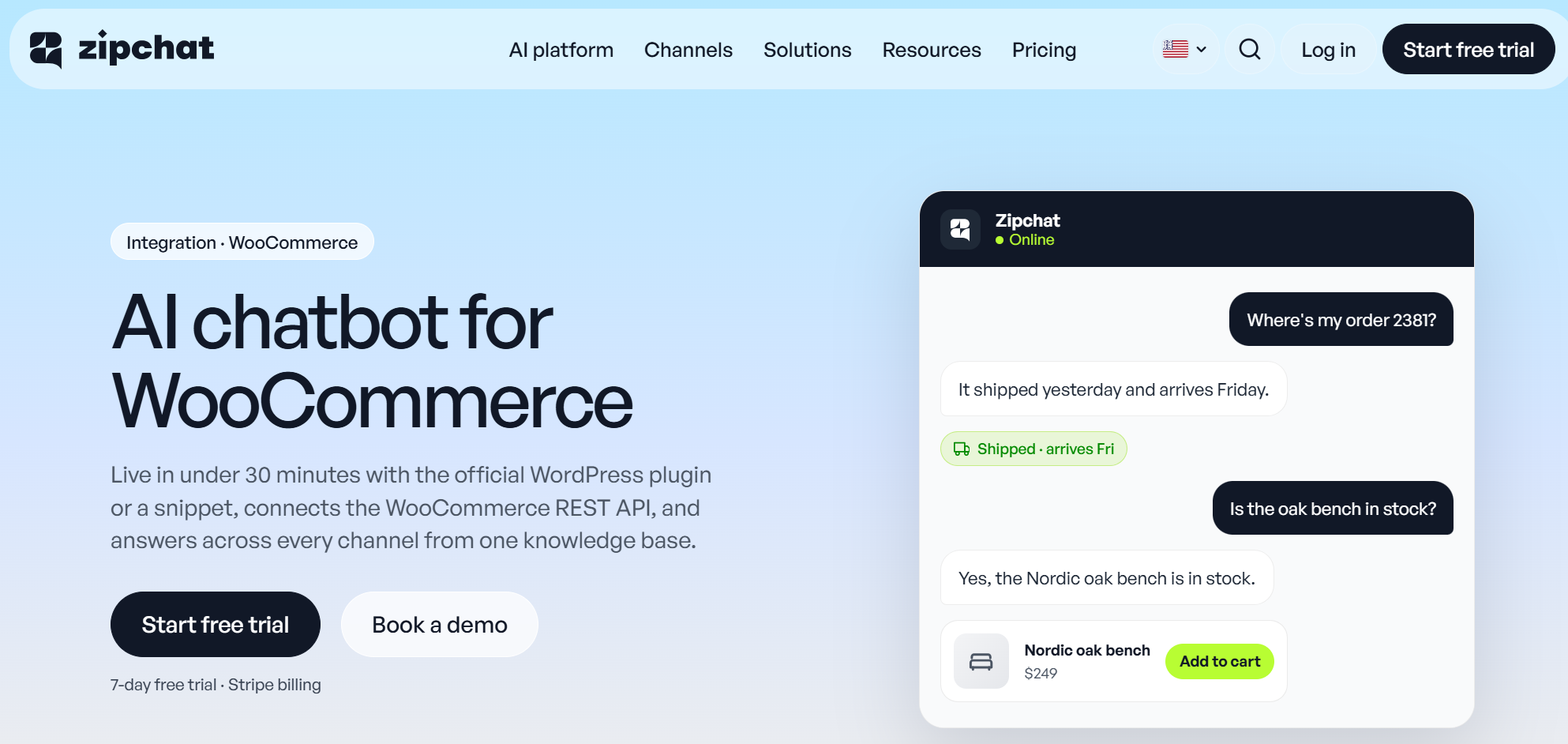
Zipchat is an AI sales and support agent built for ecommerce, with a dedicated plugin on wordpress.org. It trains itself by crawling your pages and products, so there’s no knowledge base to fill by hand.
It installs in one of two ways: the Zipchat WordPress plugin, or a script in your site header. Once WooCommerce is connected through REST API keys, the agent reads products, variations, and stock, and looks up orders by email, phone, or order number.
Key features
- Product cards with add-to-cart inside the chat.
- Order lookup for shoppers by email, phone, or order number.
- The same agent answers in website chat, email, WhatsApp, and Instagram.
- WPML and Polylang support for multilingual stores, plus replies in 95+ languages.
- Coupons, refunds, and other actions through Agentic Skills, when the merchant provides instructions and a reachable API.
Pricing: Starter is $64/month for 750 AI replies. Pro is $240/month for 3,000 replies, Scale is $480/month for 6,000 replies, and Scale Plus is $960/month for 14,000 replies. There’s a 7-day free trial and a 30-day money-back guarantee, as of October 2026.
Plugin stats: 70+ active installs.
Pros
- Reads WooCommerce products and orders without custom code.
- One agent across your site, inbox, and messaging apps.
- Nothing to write or upload before it starts answering.
Cons
- No free plan.
- The WordPress plugin is young, with few installs.
Best for: WooCommerce stores that want one AI agent selling and supporting across every channel. See Zipchat for WooCommerce for the full setup.
2. WoowBot and WPBot: Best low-cost WooCommerce chatbot plugin
QuantumCloud makes two related plugins. WPBot is a general WordPress chatbot. WoowBot is its WooCommerce sibling, a native WooCommerce plugin with the store module included on every Pro tier.
Pro can also try to win back hesitant shoppers with exit-intent offers and abandoned-cart recovery.
Key features
- In-chat product search, product cards, and add-to-cart (Pro).
- Order status lookups and abandoned-cart recovery (Pro).
- Integrates with OpenAI and Gemini for its replies, with OpenRouter, Grok, or DialogFlow as other options.
- Auto-training from pages, posts, and products on the Professional and Master tiers.
- Messenger, Instagram, and WhatsApp on the Master tier.
Pricing: WoowBot Pro is $49 per year, Professional is $99 per year, and Master is $189 per year. Lifetime licenses cost $149, $279, and $369 respectively. WPBot Pro needs the $99 Professional tier for Woo Commerce.
Plugin stats: WPBot has 5,000+ installs and 4.7 stars from 124 reviews. WoowBot has 1,000+ installs and 4.8 stars from 19 reviews.
Pros
- WoowBot has a free version on WordPress.org and a Pro version with advanced store features.
- WooCommerce features at a yearly price below most monthly plans.
- Lifetime licenses for stores that hate subscriptions.
Cons
- You pay your AI provider separately and manage the API key.
- Auto-training and social channels sit on the higher tiers. No free trial of Pro.
Best for: budget-conscious WooCommerce stores comfortable with plugin settings.
3. MxChat: Best for WordPress-native WooCommerce AI with your own API key
MxChat is a WordPress AI chatbot plugin that runs on your own model key, from GPT and Claude to Gemini and DeepSeek. Its WooCommerce add-on turns it from a site assistant into a shopping assistant.
Key features
- Learns from pages, posts, products, PDFs, and sitemaps, with auto-sync.
- Product cards, add-to-cart, and recommendations (WooCommerce add-on).
- Order history and status for logged-in customers (add-on).
- Hands the shopper off to checkout from the chat.
Pricing: the core plugin is free. Pro starts at $69.97, with Agency at $174.97 and Agency Plus at $279.97. Check whether the price is lifetime or yearly before you buy.
Plugin stats: 2,000+ installs and 5.0 stars from 30 reviews.
Pros
- Deep WooCommerce actions for a one-off price.
- Free choice of AI model.
Cons
- Order lookup covers logged-in customers only.
- Small user base, and API costs land on your bill.
Best for: technical store owners who want everything inside WordPress.
4. Crisp: Best live chat with an AI agent and WooCommerce sync
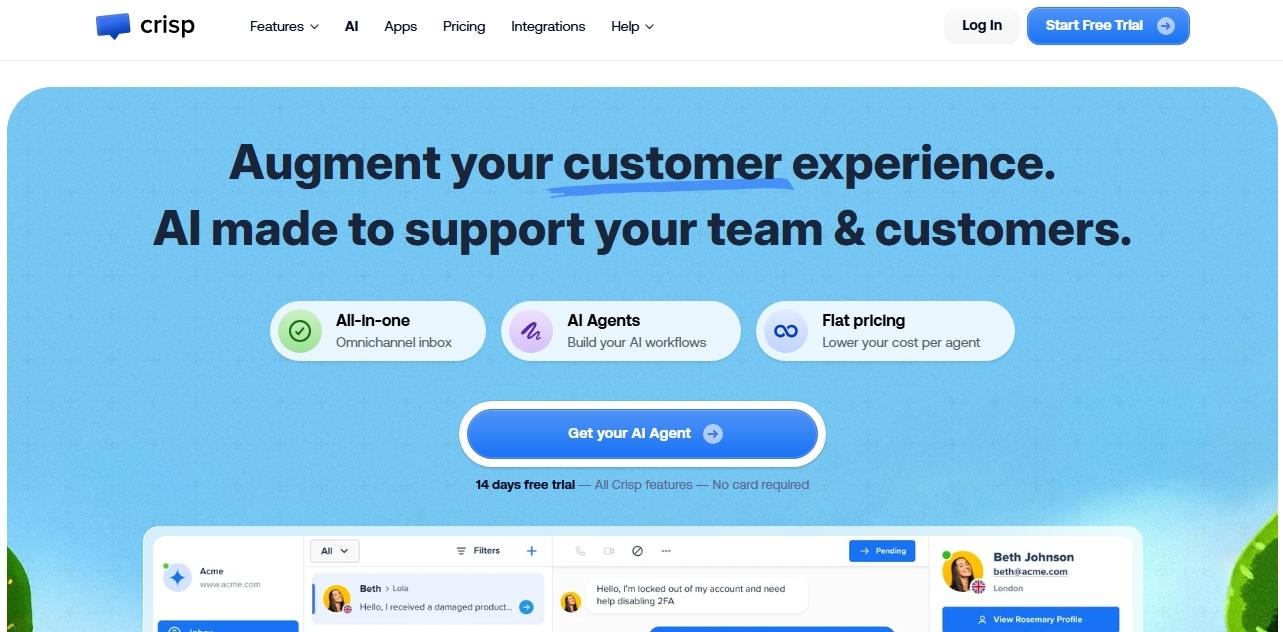
Crisp is a shared inbox and live chat tool with an AI agent called Hugo. A separate “Crisp for WooCommerce” plugin syncs customers, carts, and past orders into the inbox.
Key features
- Hugo trains on your website, help articles, and files.
- WooCommerce sync shows your team each shopper’s cart and orders.
- Web, email, WhatsApp, Instagram, Messenger, and SMS in one inbox.
- Free plan for two seats.
Pricing: Free has no AI. Mini is $45/month with $5 of AI credits (about 90 automated conversations). Essentials is $95 with $25 of credits (about 450).
Plugin stats: 20,000+ installs and 4.6 stars from 73 reviews.
Pros
- Strong shared inbox for teams that answer chats themselves.
- WooCommerce context sits next to every conversation.
Cons
- Small AI allowances on the lower plans.
- WooCommerce order data is documented for agents, not for the AI to answer shoppers.
Best for: stores with a support team that wants AI help, not full automation.
5. LiveChat: Best for human-led sales chat
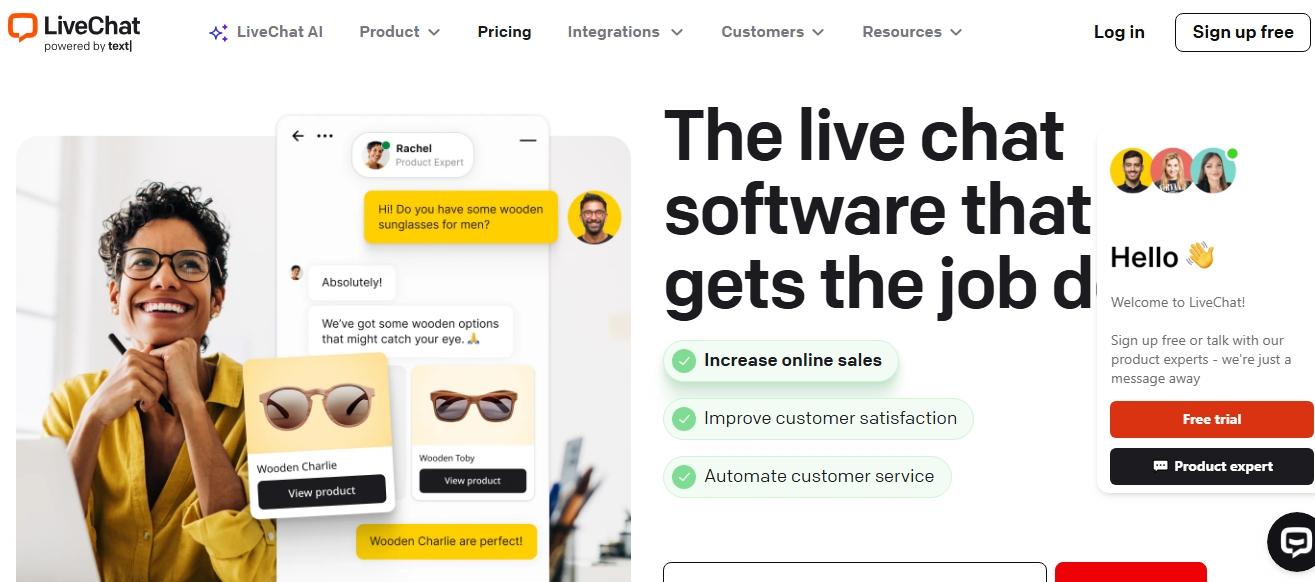
LiveChat is a long-running live chat tool, now sold under its parent company’s new “Text” plans. Agents see a shopper’s cart and last WooCommerce order next to the chat, and AI drafts replies and resolves simple questions.
Key features
- Copilot reply suggestions and conversation summaries.
- An AI agent that learns from your knowledge base and PDFs.
- Cart and order context for human agents.
- Web, Messenger, SMS, WhatsApp, and Instagram.
Pricing: Essential is $19/user/month with 10 AI resolutions a month. Growth is $79/user/month with 200 AI resolutions. Extra resolutions cost $49.50 per 50.
Plugin stats: 10,000+ installs and 4.6 stars from 98 reviews.
Pros
- Polished agent tools for teams that sell by chat.
- Mature integrations and reporting.
Cons
- Per-seat pricing grows fast with your team.
- Ten AI resolutions a month on Essential won’t cover a busy store.
Best for: stores where trained staff close sales in chat and want AI support beside them.
6. AI Engine: Best for content sites and developers
AI Engine by Meow Apps is the most installed AI plugin on this list. It’s a toolkit: chatbots, content generation, and AI forms, running on your own API key from OpenAI, Anthropic, Google, and others.
Key features
- Shortcode chatbots you can style and place anywhere.
- Answers from your posts and PDFs with embeddings (Pro).
- Function calling that a developer can wire to WooCommerce (Pro).
- Frequent updates and wide model support.
Pricing: The core plugin is free. Pro is $69/year.
Plugin stats: 90,000+ installs and 4.9 stars from 868 reviews.
Pros
- Huge community and fast updates.
- Total control over models, prompts, and design.
Cons
- No shopper-facing WooCommerce product cards or order lookup out of the box.
- You manage API keys, usage, and costs.
Best for: blogs, membership sites, and developers building a custom assistant.
7. Chatbase: Best general AI agent for a WordPress site
Chatbase builds AI agents that learn from a website crawl, files, and Q&A pairs. It has a Shopify app, but no WooCommerce integration.
Key features
- Training from your site, PDFs, docs, text, and Notion.
- A choice of models, including GPT, Claude, and Gemini.
- Web, email, WhatsApp, Instagram, Messenger, and voice.
- “Custom Actions” that can call your own APIs.
Pricing: Hobby is $32/month for 700 message credits, Standard is $120/month for 4,000 credits, and Pro is $400/month for 15,000 credits.
Plugin stats: 5,000+ installs and 3.4 stars from 13 reviews.
Pros
- Strong general-purpose agent with many channels.
- Easy training from a URL.
Cons
- No WooCommerce product or order data without custom development.
- The WordPress plugin looks unmaintained.
Best for: content and service sites that want a capable agent with no store data.
Both put the same chat widget on your site. The difference is who manages the code and what extra data the widget gets.
A header script is a snippet you paste into your theme header, a code-snippets plugin, or Google Tag Manager. It loads the widget on every page. It’s fast to add, but a theme switch can remove it, and it knows nothing about WordPress users.
A WordPress plugin installs from the plugin directory and updates like any other plugin. You paste a token instead of code, and it survives theme changes.
With Zipchat, the plugin also does two things the script doesn’t:
- It records completed WooCommerce orders, so you can see which sales came from customer conversations.
- It identifies logged-in customers, so the agent doesn’t have to ask who they are.
Pick the plugin if you can install plugins on your site. Use the script if your host or agency locks plugins down.
Can the chatbot read WooCommerce products and orders?
Only some can, and how they connect matters. There are three approaches on this list.
- REST API connection. You create WooCommerce API keys and paste them into the chatbot. Zipchat works this way, so the agent can read products, variations, stock, and orders.
- Inside-WordPress plugins. WoowBot and MxChat run in WordPress, so they read WooCommerce data directly. Order lookups are often limited to logged-in customers.
- Agent-side sync. Crisp and LiveChat show cart and order data to your human team, not to the AI answering shoppers.
Here’s what an ecommerce-ready chatbot does with that access:
Shopper: Hi, I ordered running shoes last week. Order 4821. Has it shipped?
Agent: It shipped on Tuesday with DHL and should arrive Friday. Here’s your tracking link. Want me to suggest socks that match?
(Illustrative example.)
Guest shoppers are the catch. If an order lookup only works for logged-in accounts, most of your WISMO questions still land in your inbox. Ask each vendor how it verifies a guest, usually by email or phone plus order number.
How the plugins compare on price and limits
Prices look similar until you check the meter. Three pricing models show up here.
| Pricing model | Plugins | What you pay for | Watch out for |
|---|
| Plan with AI replies or credits | Zipchat, Chatbase, Crisp | A monthly allowance of AI messages | What counts as one reply or credit |
| License plus your own API key | AI Engine, WoowBot/WPBot, MxChat | A yearly or lifetime license, then AI usage | A separate OpenAI or Claude bill |
| Per seat | LiveChat | Each team member | Low AI allowances on entry plans |
A cheap license isn’t the full cost. With bring-your-own-key plugins, every answer also costs API usage, and that bill grows with traffic.
A plan with AI included costs more up front, but the number is fixed. For a store, the higher cost is usually time: who sets up product data, maintains the bot, and answers what it can’t.
What WooCommerce merchants ask during setup
Most setup questions are about connecting data, not about AI:
- “Where do I find my WooCommerce API keys, and which permissions do I give?”
- “Do I need the plugin and the script, or one of them?”
- “Will it pick up my product variations and out-of-stock items?”
- “Does it work with WPML or Polylang for my translated store?”
Have your API keys and admin access ready before you start. With Zipchat, the crawl starts once your store URL is in, and you can test answers in test chat before the widget goes live.
How to choose the right WooCommerce AI chatbot
Match the plugin to who will answer customers and how much you want to build.
| If your store… | Choose | Why |
|---|
| Wants AI to answer product and order questions on its own | Zipchat | Reads products and orders, and covers email and messaging too |
| Has a tight budget and time to configure | WoowBot | WooCommerce features from $49/year |
| Wants everything inside WordPress and has a developer | MxChat or AI Engine | Your own model, your own setup |
| Has a team that answers chats | Crisp or LiveChat | Inbox tools with AI assist |
| Is a content site with a small shop | AI Engine or Chatbase | Strong on pages and documents |
Search and chat often work together. For tools beyond WordPress, see our list of best AI chatbots for ecommerce and our roundup of chat widgets for websites.
When an AI chatbot plugin isn’t the fix
A chatbot can’t fix missing product data. If your descriptions skip sizes, materials, or shipping times, the AI bot has nothing true to say. Fill the gaps first.
Even with good data, AI answers can be wrong, so review conversations and update the bot’s knowledge regularly. Small stores may not need one. If you get five questions a week, a clear FAQ page and a contact form might do.
Frequently asked questions
What is the best AI chatbot for WordPress?
It depends on the site. For WooCommerce stores, Zipchat is the strongest pick because it reads products and orders and answers across chat, email, and WhatsApp. For blogs and content sites, AI Engine is the most popular free option. WoowBot suits stores on a tight budget.
How do I add an AI chatbot to WooCommerce?
Install the chatbot’s WordPress plugin or paste its script into your site header. Then connect WooCommerce, usually with REST API keys, so the bot can read products and orders. Let it crawl your site, test the answers in a preview, and switch the widget on.
Is there a free AI chatbot plugin for WordPress?
Yes, but free rarely means no cost. AI Engine, WPBot, and MxChat have free cores, though you pay your AI provider for usage. Crisp’s free plan has no AI. Zipchat has no free plan but offers a 7-day trial and a 30-day money-back guarantee.
Can a WordPress chatbot answer order questions?
Some can. Zipchat looks up WooCommerce orders by email, phone, or order number once you connect your store’s API keys. WoowBot Pro and MxChat’s WooCommerce add-on check order status, mostly for logged-in customers. Blog-style plugins like AI Engine and Chatbase need custom development.
Will a chatbot plugin slow down my WordPress site?
A well-built one shouldn’t. Hosted widgets like Zipchat, Crisp, and LiveChat load from the vendor’s servers. Bring-your-own-key plugins also make AI calls through your WordPress install. Run a PageSpeed test before and after installing, and remove old chat plugins you no longer use.
Our pick
For a WooCommerce store, choose an ecommerce-ready chatbot over a blog plugin. WoowBot is the best budget option if you’ll configure it yourself. Crisp and LiveChat fit teams that want to stay in the conversation.
If you want an AI agent that reads your products and orders from day one and answers across your site, inbox, and WhatsApp, start with Zipchat for WooCommerce on a 7-day free trial.
 Website chat Turns browsers into buyers on every page.
  WhatsApp Sell on the app your customers read.
  Instagram Answers every DM in seconds.
  Messenger Turns Facebook ad questions into sales.
  Email Answers every email in the same thread.