TL;DR
This guide compares the four best WooCommerce product customization plugins for 2026, evaluated on field variety, conditional logic, pricing flexibility, ease of setup, and compatibility. PH Product Add-ons for WooCommerce is our top pick for stores needing an all-in-one solution, with strong runners-up for native integration and advanced formula-based pricing.
Selling generic products works until customers want something made their way.
A name engraved on a gift. A logo printed on a hoodie. Extra cheese on a pizza. A custom-cut piece of wood made for a specific purpose. These types of requests are no longer edge cases. They’re part of what modern shoppers expect from online stores.
WooCommerce doesn’t support this level of customization natively. Its built-in variation system is designed for simple product differences, such as size and color, rather than flexible, field-based customization.
That’s where WooCommerce product add-on plugins come in.
In this guide, we’ll explore the best WooCommerce product customization plugins available in 2026, what they offer, who they’re best suited for, and how to choose the right one for your store.
What Are WooCommerce Product Add-Ons?
WooCommerce product add-ons are extra options displayed on a product page that allow customers to personalize their purchase before adding it to their cart. Instead of creating dozens of product variations for every possible combination, you can simply add customizable fields and let customers enter or select what they need.
Common examples include:
- Text fields for personalized messages, names, or engraving.
- File uploads for custom designs, artwork, or logos.
- Dropdowns, checkboxes, and radio buttons for selecting product options.
- Color or image swatches for visual customization.
- Date pickers for delivery dates, bookings, or other preferences.
These add-ons can be offered for free or used to charge an additional fee. Pricing can be set as a fixed amount, a percentage of the product price, or based on factors such as quantity, character count, or custom pricing formulas.
Why Your WooCommerce Store Needs a Product Add-On Plugin
If you sell products that can be personalized or configured, WooCommerce’s default setup can quickly become difficult to manage. Every possible combination of options requires a separate product variation. Even a product with five customizable attributes can result in hundreds of variations, many of which you may never actually need.
A product add-on plugin offers a simpler solution. Instead of tying every option to a product variation, you can add custom fields directly to the product page. Customers can choose or enter their preferences, while you collect the required details, calculate the additional cost, and fulfill the order without maintaining a long list of variations.
Product add-ons can also create business opportunities. Personalization allows you to offer more relevant products, encourage customers to spend more, and create a more engaging shopping experience. For stores where customization is important, these features can help increase order value and build stronger customer relationships.
If your competitors already offer easy product personalization, adding the same flexibility to your store can help you stay competitive.
What to Look for in a WooCommerce Product Customization Plugin
Before looking at specific recommendations, it’s worth understanding what separates a reliable product add-on plugin from one that only works for basic needs.
-
Field variety. A good plugin should offer a wide range of input types so you can support different kinds of products. Text fields work well for simple personalization, while color swatches, image uploads, number fields, and other options can support apparel, print-on-demand products, custom manufacturing, food ordering, and more.
-
Conditional logic. This feature helps keep product pages clean and easy to navigate. It allows fields to appear or disappear based on a customer’s previous selections. For example, if a customer selects gift wrapping, a message field can appear automatically. If they don’t, the field stays hidden.
-
Pricing flexibility. Flat add-on fees are useful for simple products, but more complex stores may need advanced pricing rules. Look for support for percentage-based pricing, per-character charges, quantity-based pricing, or formula-based calculations to ensure your pricing stays accurate and profitable.
-
Ease of setup. A product add-on plugin shouldn’t require coding or developer assistance for everyday tasks. Look for an intuitive admin interface, easy field configuration, drag-and-drop builders where available, and clear documentation.
-
Compatibility. The plugin should work reliably with your existing WooCommerce setup, including your theme, payment gateway, bookings, and other extensions. Compatibility with features such as HPOS, Cart & Checkout Blocks, multilingual plugins, and multi-currency setups is particularly important.
WooCommerce Product Customization Plugins at a Glance
| Plugin | Best For | Starting Price | Field Types | Standout Feature |
|---|
| PH Product Add-ons for WooCommerce | All-in-one customization without multiple plugins | $79/year | 18 | Add-on groups assignable at product, category, or store level |
| Product Add-Ons for WooCommerce (Official) | New stores wanting a simple native solution | $79/year | 9 | Native WooCommerce integration + REST API access |
| WooCommerce Product Add-Ons Ultimate | Mid-range stores needing formula pricing | From $79/year | Core set | Reusable add-on groups across products and categories |
| Advanced Product Fields for WooCommerce | Mix-and-match bundles or advanced pricing | From $69/year | 15+ | Child Products field for native bundles, no separate plugin |
Pricing as of September 2026
Best WooCommerce Product Customization Plugins
1. PH Product Add-ons for WooCommerce

PH Product Add-ons for WooCommerce is purpose-built for stores that need serious product customization without developer involvement. It covers 18 field types: text, number, email, textarea, telephone, dropdown, multi-select, checkbox, radio button, file upload, date picker, time picker, color picker, color options, image options, heading, password, and hidden fields.
Six pricing methods (fixed, percentage-based, quantity-based, per-character, and combined pricing) make it versatile enough to handle everything from simple engraving fees to complex configured product pricing.
Built-in conditional logic keeps product pages clean by showing or hiding fields based on customer selections, and live price updates ensure customers always see the correct total as they configure their order.
What makes it stand out in day-to-day store management is the add-on group system: groups can be assigned at the product, category, or store level, and duplicated with a single click when configuring similar products. Input validation and file type restrictions reduce order errors, and unused fields are automatically hidden from order summaries for a cleaner checkout experience.
It’s compatible with WooCommerce HPOS, Cart & Checkout Blocks, WPML, WOOCS, and PluginHive’s own booking and shipping plugins, making it a natural fit for stores already running the PluginHive stack. Support is available via email, Zoom, and Google Meet, with optional customization services for stores that need tailored solutions.
Best for: Stores needing a complete, all-in-one customization solution without multiple plugins.
Price: $79/year
2. Product Add-Ons for WooCommerce [Official WooCommerce Extension]
The official WooCommerce Product Add-Ons extension carries the advantage of native platform integration and guaranteed compatibility with each WooCommerce release. It supports nine field types: multiple choice (dropdown, radio button, or image-based), checkboxes, short text, long text, file upload, customer-defined price, quantity, heading, and date picker, which is enough for straightforward personalization use cases.
Pricing supports fixed, quantity-based, percentage-based, and negative discount rules, and REST API access makes it a workable option for developers managing add-on configurations programmatically. It integrates with WooCommerce Bookings, Subscriptions, Smart Coupons, Cart & Checkout Blocks, and HPOS out of the box.
The gaps become visible as your store grows. There’s no built-in conditional logic; Woo’s own documentation suggests pairing it with a separate paid Gravity Forms extension to get that capability, adding cost and complexity to what’s marketed as a simple solution.
Quantity-based and percentage-based prices don’t display correctly on cart and checkout pages without custom code, which is a real friction point for non-technical store owners. File upload fields also have no type restrictions, a security concern flagged across multiple customer reviews.
For stores with basic, static customization needs, it works. For anything beyond that, you’ll hit the ceiling quickly.
Best for: New stores wanting a simple native solution with basic personalization fields.
Price: $79/year
3. WooCommerce Product Add-Ons Ultimate
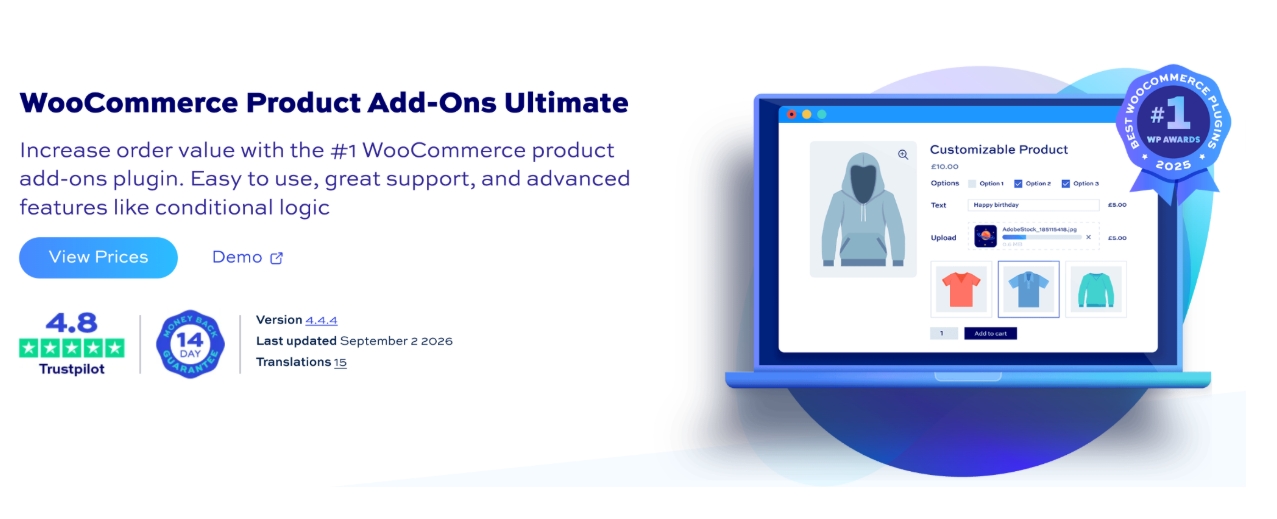
Plugin Republic’s Product Add-Ons Ultimate covers the core toolkit for product personalization: text fields, dropdowns, checkboxes, file uploads, date pickers, and color or image swatches, paired with conditional logic and pricing options including fixed, percentage-based, quantity-based, and formula-driven rules.
Reusable add-on groups can be applied across products and categories, making it easier to manage consistency across a large catalog. It’s compatible with multilingual and multi-currency plugins as well as modern block-based WooCommerce themes, and annual plans come with ongoing updates and support access.
The main limitation is fragmentation: some capabilities, including image editing tools and enhanced file upload features, require separate paid add-ons on top of the base license. Certain pricing features are also gated behind specific license tiers, so it’s worth auditing your requirements against each plan before committing.
Stores looking for a genuinely all-in-one solution may find the additional add-on costs accumulate beyond what the base price suggests. Like Studio Wombat, the 14-day refund window is on the shorter side.
Best for: Stores wanting a dependable mid-range plugin with formula pricing and category-level add-on groups.
Price: From $79/year
4. Advanced Product Fields for WooCommerce
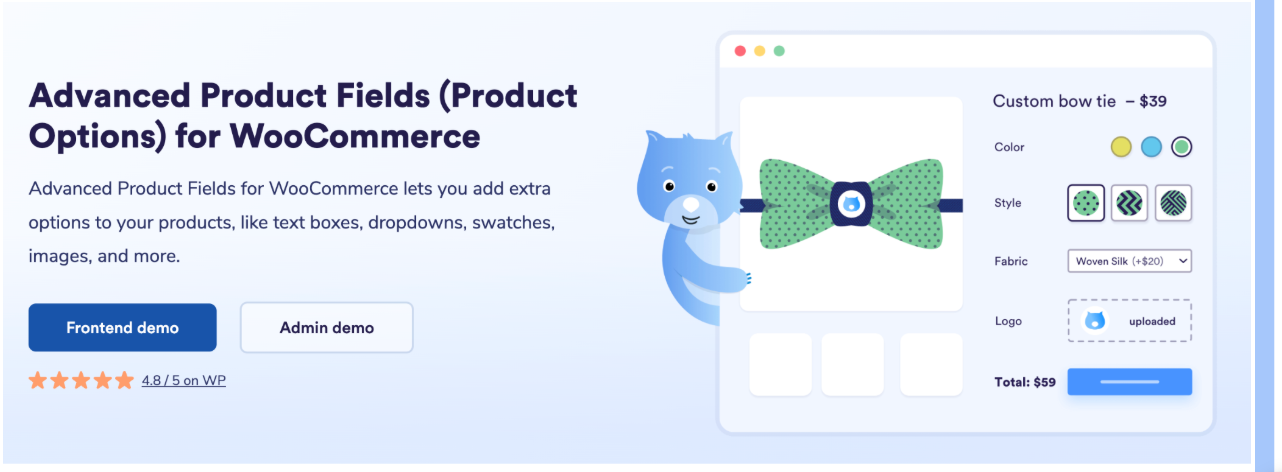
Studio Wombat’s Advanced Product Fields is built for stores where standard field-and-price setups aren’t enough. It supports 15+ field types including text, number, email, checkboxes, radio buttons, dropdowns, file uploads, date pickers, color swatches, image swatches, and content fields, with additional types available in higher-tier plans.
Conditional logic, formula-based pricing, lookup-table pricing, and per-character pricing give it genuine depth for complex configurations. The standout feature is the Child Products field, which allows mix-and-match product bundles to be built natively, without a separate bundling plugin.
Customers can also edit their add-on selections directly from the cart page, which cuts down on support requests around order corrections before fulfillment.
Multilingual and multi-currency support through WPML, Polylang, and WOOCS make it a reasonable option for international stores. The trade-off is that features are distributed across three pricing tiers (Pro, Extended, and Extended + Add-ons), which means you may find yourself needing a higher-tier license to access the full feature set.
The 14-day refund window is also notably shorter than the 30-day guarantees offered by several competitors, worth factoring in if you need time to test against a complex product catalog. It also requires relatively recent versions of WordPress and WooCommerce, so older stores may need to update before installing.
Best for: Stores that need mix-and-match bundles or advanced formula-based pricing.
Price: From $69/year
How to Choose the Right Plugin for Your Store
The right plugin depends on your store’s products, customization needs, and pricing requirements, not simply the number of features it offers.
For stores that need basic personalization options, a straightforward plugin with essential fields such as text boxes, dropdowns, color choices, and gift notes can be a good starting point. If your products require more advanced customization, look for solutions that offer multiple field types, conditional logic, file uploads, and flexible pricing options.
For stores selling products with complex configurations, bundles, or custom pricing, features such as formula-based pricing, quantity-based pricing, and product relationships can make the customization process much easier to manage.
By store type:
- Gift & personalized products: Look for text fields, file uploads, and flexible pricing.
- Apparel & print-on-demand: Prioritize color/size options, image uploads, and file restrictions.
- Food & restaurants: Focus on required fields, add-ons, combo options, and mobile-friendly forms.
- Custom & made-to-order products: Choose a plugin with advanced pricing rules, conditional logic, and support for complex product configurations.
Ultimately, choose a plugin that matches your actual product customization workflow and can scale with your store as your requirements grow.
Final Thoughts
Product customization has become an important part of the eCommerce experience for many types of stores. The right product add-ons plugin should make it easy for customers to personalize products while keeping your store manageable and orders accurate.
Most plugins cover the basic customization needs, but they differ in flexibility, pricing options, conditional logic, and ease of use. PH Product Add-ons for WooCommerce is a strong all-round choice for stores looking for a flexible solution that can handle a wide range of customization requirements.
Ultimately, the best choice depends on your products, customization needs, budget, and how much control you want over the customer experience. Rather than choosing based on the longest feature list, focus on the plugin that fits your store’s workflow and can grow with your business.
Frequently Asked Questions
What is the difference between WooCommerce product variations and product add-ons?
Product variations are used when customers are choosing between different versions of the same product, such as a T-shirt in Small, Medium, or Large, where each option can have its own price, SKU, and stock. Product add-ons are used for extra options or personalization, such as adding a name, gift wrapping, engraving, or an additional accessory. In simple terms, use variations for different versions of a product and add-ons for extras or customization.
Do WooCommerce product add-on plugins slow down my site?
A well-optimized plugin should have minimal impact on performance. However, plugins that load unnecessary scripts across the entire site can affect page speed. Look for plugins that load assets only where needed and test your store after installation.
Yes. Plugins such as PH Product Add-ons for WooCommerce allow you to add paid options to products. Depending on the plugin, pricing may include fixed fees, percentages, quantity-based pricing, or other pricing rules. Check the available pricing methods and plan limitations before choosing a solution.
Do product add-on plugins work with WooCommerce HPOS?
Compatibility varies by plugin. Before enabling HPOS on a live store, check the plugin’s current documentation or changelog to confirm that it supports WooCommerce’s High-Performance Order Storage.
Is conditional logic available in product add-on plugins?
Many advanced product add-on plugins support conditional logic, although availability may depend on the plugin or pricing plan. PH Product Add-ons for WooCommerce includes conditional logic, allowing stores to display or hide fields based on a customer’s selections. If conditional logic is important for your store, check that the feature is included in the plan you choose.
Can customers edit their add-on choices after adding a product to the cart?
This depends on the plugin. Some solutions allow customers to edit their selections directly from the cart, while others require them to return to the product page and update their options. Check the plugin’s cart and editing capabilities if this is important for your store.