Try Zipchat in Action!
Enter your store URL to see how Zipchat would behave.


As we look toward 2025, the world of e-commerce is rapidly evolving. To keep up with changing customer expectations and technological advancements, it's essential for online stores to focus on effective design strategies. This article highlights key tips for creating an engaging and user-friendly storefront that can help businesses thrive in the competitive digital marketplace.
Key Takeaways
- Select the right e-commerce platform that fits your needs and allows for future growth.
- Make your website easy to navigate and visually appealing to enhance user experience.
- Focus on mobile optimization as more shoppers use their phones to buy online.
- Integrate social media to reach more customers and create a community around your brand.
- Prioritize customer support and personalization to build loyalty and improve sales.
1. Choosing The Right Platform

When you're picking an e-commerce platform, it can feel like a big deal. The right choice can make or break your online store. You want something that fits your needs and helps you grow. Here are some things to think about:
- Scalability: Can the platform grow with your business?
- Mobile Responsiveness: Is it easy to use on phones and tablets?
- Security Features: How safe is your data?
- Integration Capabilities: Can it work with other tools you need?
Popular Platforms to Consider
Choosing the right platform is crucial for your success. It affects everything from how you manage your store to how customers experience your brand.
So, take your time and think about what you really need. Remember, the platform you choose will impact your ability to apply these e-commerce strategies to grow faster and connect with your customers effectively.
2. Importance Of User-Friendly Website Design
When it comes to your e-commerce site, user-friendly design is key. A well-designed website not only looks good but also makes it easy for visitors to find what they need. Here’s why it matters:
- Easy Navigation: Users should be able to find products quickly. If they can’t, they might leave your site. A simple menu and a search bar can help a lot.
- Responsive Design: Your site should work well on all devices, especially mobile. With so many people shopping on their phones, a mobile-friendly design is a must.
- Fast Loading Times: If your site takes too long to load, users will get frustrated and leave. Aim for a loading time of under 3 seconds to keep visitors engaged.
- Clear Calls to Action: Make it obvious what you want users to do next, whether it’s adding a product to their cart or signing up for a newsletter.
A user-friendly website can significantly enhance the online shopping experience and keep customers coming back.
In summary, focusing on user-friendly design can lead to higher conversion rates and a better overall experience for your customers. Don't underestimate the power of a well-designed site!
3. Key E-Commerce Strategies

Once you’ve set up your online store, it’s time to dive into some must-do strategies that can help you attract more customers and boost sales. Here are three key strategies to focus on:
1. Search Engine Optimization (SEO)
SEO is all about making your website easier to find on search engines like Google. By using the right keywords and optimizing your content, you can drive more traffic to your site. Here’s a quick checklist:
- Use relevant keywords in your product descriptions.
- Optimize your images with alt text.
- Create unique titles and meta descriptions for each page.
2. Mobile Optimization
With more people shopping on their phones, it’s crucial to ensure your site is mobile-friendly. A responsive design means your site looks good on any device. Here are some tips:
- Make sure your site loads quickly on mobile.
- Simplify the checkout process for mobile users.
- Use larger buttons for easy navigation.
3. Social Media Integration
Social media is a powerful tool for reaching new customers. By connecting your store to platforms like Instagram and Facebook, you can engage with your audience and drive sales. Consider these strategies:
- Share user-generated content to build community.
- Use shoppable posts to make purchasing easy.
- Run targeted ads to reach specific audiences.
Remember, the key to success in e-commerce is to stay adaptable and keep up with trends. By focusing on these strategies, you can create a seamless shopping experience that keeps customers coming back.
By implementing these strategies, you’ll not only enhance your online presence but also create a more engaging shopping experience for your customers. Don’t forget to keep an eye on your analytics to see what works best!
4. Best Practices For E-Commerce UX Design
Creating a great user experience (UX) is essential for your e-commerce site. Here are some best practices to keep in mind:
1. Streamlined Navigation
Make it easy for visitors to find what they need. Use clear categories and a simple menu. A well-structured site helps users explore without frustration.
2. Fast Loading Times
Speed matters! If your site takes too long to load, customers will leave. Aim for a loading time of under 3 seconds to keep users engaged.
3. Mobile Optimization
With more people shopping on their phones, ensure your site is mobile-friendly. A responsive design adapts to different screen sizes, making shopping easy on any device.
4. Clear Calls to Action
Guide your customers with clear buttons like "Add to Cart" or "Checkout Now." These should stand out and be easy to find.
5. High-Quality Images
Use sharp, attractive images that allow customers to see products clearly. Consider adding zoom features or 360-degree views to enhance the shopping experience.
6. Simplified Checkout Process
A complicated checkout can lead to cart abandonment. Keep it simple with fewer steps and clear instructions. A smooth checkout can boost your sales!
7. Customer Reviews and Ratings
Showcase customer feedback to build trust. Positive reviews can encourage new customers to make a purchase.
8. Personalization
Tailor the shopping experience based on user behavior. Recommend products based on past purchases or browsing history to make shopping more relevant.
9. Accessible Customer Support
Make it easy for customers to reach out for help. Live chat options or clear contact information can enhance their experience.
10. Regular Testing and Updates
Continuously test your site for usability. Gather feedback and make necessary updates to improve the user experience over time.
Remember, a great user experience can lead to higher conversion rates and happier customers!
By following these best practices, you can create an engaging and effective e-commerce site that keeps customers coming back. Focus on the user, and the sales will follow!
5. Simplifying The User Journey
Streamlining Navigation
When you’re shopping online, you want to find what you need quickly. A clear navigation system helps you do just that. Make sure your menu is organized logically, so you can easily find categories and products. Consider adding a search bar at the top of your site to let users search directly for items they want.
Reducing Checkout Friction
The checkout process can be a major hurdle. If it’s too complicated, you might lose customers. Keep it simple! Aim for a streamlined checkout with fewer steps. For example, allow guest checkouts and provide clear progress indicators so users know how far along they are in the process.
Providing Clear Calls-to-Action
Make it obvious what you want users to do next. Use buttons like "Add to Cart" or "Checkout Now" that stand out. This helps guide users through their shopping journey without confusion.
Using Progress Indicators
Progress indicators can show users how many steps are left in the checkout process. This can reduce anxiety and encourage them to complete their purchase. Knowing they’re almost done can make a big difference!
Importance of User Trust
Building trust is key. Make sure your site is secure and that you communicate clearly about shipping, returns, and privacy policies. When users feel safe, they’re more likely to complete their purchases.
Conclusion
By simplifying the user journey, you can enhance the overall shopping experience. This not only helps in reducing cart abandonment but also boosts conversion rates. Remember, a smooth journey from product discovery to purchase is essential for keeping customers happy and coming back for more!
6. Prioritizing Mobile UX
In today’s world, mobile optimization is not just a nice-to-have; it’s a must. With more people shopping on their phones than ever before, your e-commerce site needs to be mobile-friendly to keep customers happy and engaged. Here’s how you can make sure your site shines on mobile:
Responsive Design
Make sure your website adjusts to different screen sizes. A responsive design means that your site will look great on any device, whether it’s a smartphone or a tablet. This way, users won’t have to zoom in or scroll sideways to see what they want.
Fast Loading Times
Did you know that if your site takes more than 3 seconds to load, most users will leave? To keep them around, optimize your images and use caching techniques. A fast site not only keeps users happy but also helps with your search rankings.
Simplified Checkout Process
A complicated checkout can lead to cart abandonment. Make it easy for users to buy by offering guest checkout options and minimizing the number of steps needed to complete a purchase. Consider adding features like autofill for forms to speed things up.
User-Friendly Navigation
Make it easy for users to find what they’re looking for. Use clear labels and a simple menu structure. A well-organized site helps users navigate quickly, which is especially important on mobile devices.
Visual Cues
During the checkout process, provide visual feedback to let users know their actions are being processed. This can be as simple as a loading animation or a progress bar. It reassures users that everything is working smoothly.
Prioritizing mobile UX can significantly boost your sales. If your site isn’t mobile-friendly, you risk losing a large number of potential customers.
By focusing on these key areas, you can create a mobile experience that not only meets but exceeds user expectations, ultimately driving more sales and enhancing customer satisfaction. Remember, a happy customer is a returning customer!
7. Social Media Integration
Social media is a game-changer for your e-commerce business. Integrating social media into your online store can significantly boost your sales and customer engagement. With platforms like Instagram and Facebook, you can turn casual browsers into buyers with just a few clicks.
The Rise of Social Commerce
Social commerce is an emerging trend that allows customers to shop directly through social media. This means you can showcase your products in a way that feels natural and engaging. Here are some key points to consider:
- Shoppable Posts: Create posts that allow users to buy directly from your feed.
- Influencer Collaborations: Partner with influencers to reach new audiences and build trust.
- Live Shopping Events: Host interactive sessions where customers can ask questions and buy products in real-time.
Benefits of Social Media Integration
Integrating social media into your e-commerce strategy offers several advantages:
- Increased Visibility: Your products can reach a wider audience.
- Customer Engagement: Build a community around your brand.
- Real-Time Feedback: Get instant reactions to your products and services.
Social media is not just a marketing tool; it’s a way to connect with your customers and understand their needs better.
Best Practices for Integration
To make the most of social media, follow these best practices:
- Optimize Your Profiles: Ensure your social media profiles reflect your brand.
- Use High-Quality Images: Eye-catching visuals can attract more customers.
- Engage Regularly: Respond to comments and messages to build relationships.
By effectively integrating social media into your e-commerce strategy, you can enhance your customer experience and drive sales. Remember, the goal is to create a seamless shopping experience that feels natural and engaging for your audience.
8. Enhancing Customer Experience
Creating a great customer experience is key to keeping your shoppers happy and coming back for more. When customers feel valued, they’re more likely to return. Here are some tips to enhance their experience:
1. Personalization
- Use customer data to tailor product recommendations.
- Send personalized emails thanking them for their purchase.
- Offer discounts based on their shopping history.
2. Streamlined Checkout Process
- Make sure your checkout is quick and easy. A complicated process can lead to cart abandonment.
- Offer multiple payment options to cater to different preferences.
3. Exceptional Customer Support
- Provide live chat options for immediate assistance.
- Ensure your support team is well-trained to handle inquiries efficiently.
4. Post-Purchase Engagement
- Follow up with customers after their purchase to thank them and ask for feedback.
- Encourage them to leave reviews or share their experience on social media.
5. Easy Navigation
- Organize your website so customers can find what they need quickly.
- Use clear categories and a search bar to enhance their browsing experience.
Remember, enhancing customer experience is not just about making a sale; it’s about building a relationship. When customers feel connected to your brand, they’re more likely to return and recommend you to others.
By focusing on these areas, you can create a shopping experience that not only meets but exceeds customer expectations. This will help you stand out in a crowded market and drive long-term success for your eCommerce business.
Additionally, consider integrating tools like Zipchat AI to boost customer interactions and improve conversion rates. This can significantly enhance the overall shopping experience, making it more engaging and efficient.
9. Personalization Techniques
Understand Your Customers
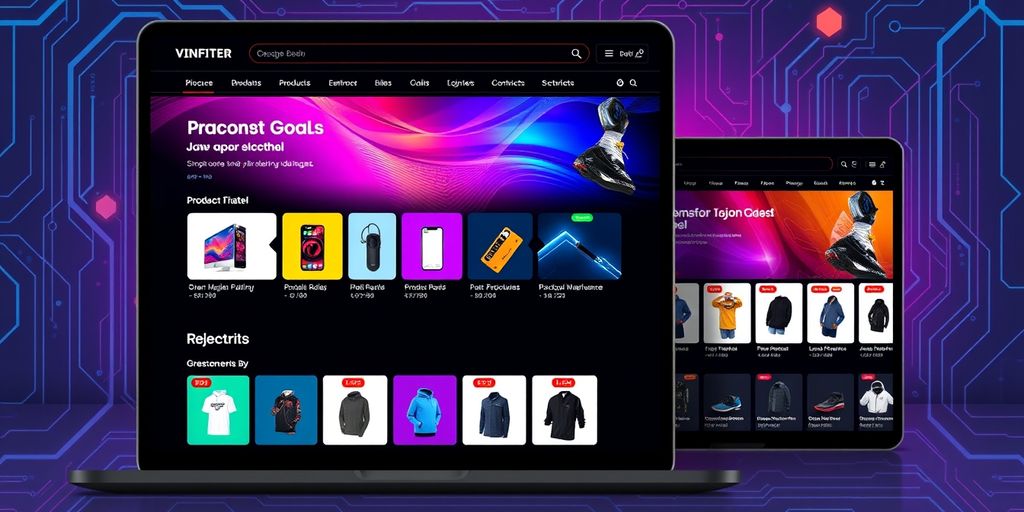
To really connect with your customers, you need to know them. Use data from their browsing history and past purchases to tailor their shopping experience. Personalized recommendations can make a huge difference in keeping customers engaged.
Hyper-Personalization
This goes a step further. By analyzing customer data, you can create unique shopping experiences. For example, if someone often buys sports gear, show them related products. This approach can boost sales significantly.
Catalog Sharing
Curate product catalogs based on what customers have looked at before. Send these catalogs via email to remind them of items they liked. This can encourage them to return and make a purchase.
Real-Time Updates
Imagine getting instant updates about your order on your phone. This is what real-time updates can do. Using platforms like WhatsApp for order tracking can enhance the shopping experience and keep customers informed.
Simplify Navigation
Make it easy for customers to find what they want. A smooth navigation experience can turn a simple shopping trip into an enjoyable journey. This not only keeps customers on your site longer but also increases the chances of them making a purchase.
Personalization is not just a trend; it’s a necessity in today’s e-commerce landscape. By focusing on your customers' unique needs, you can create a shopping experience that feels special and tailored just for them.
Conclusion
Incorporating these personalization techniques can significantly enhance the customer experience. By making shopping feel more personal, you can increase customer satisfaction and loyalty, ultimately driving more sales.
10. Importance Of Intuitive Site Structure
When it comes to your eCommerce site, having an intuitive structure is super important. It helps your visitors find what they need without getting lost. By organizing your products into clear categories, you make it easier for shoppers to navigate your site. Plus, a well-structured site can boost your SEO efforts, making it easier for search engines to understand your content.
Tips for Streamlining Navigation on Your E-Commerce Site
- Minimize clicks: Reduce the number of clicks needed to reach a product.
- Use clear labels: Make sure your menu items are easy to understand.
- Incorporate breadcrumbs: These help users retrace their steps easily.
- Consider a mega menu: This allows users to see many options at once, cutting down on clicks.
- Implement a sticky navigation bar: This keeps important menu items visible as users scroll.
A well-organized site structure not only enhances user experience but also improves your SEO rankings.
By focusing on these elements, you can create a shopping experience that keeps customers engaged and encourages them to explore more of your site. Remember, a happy shopper is more likely to convert!
Having a clear and easy-to-navigate website is super important. It helps visitors find what they need quickly and keeps them coming back. If you want to see how a good site structure can make a difference, check out our website!
Conclusion
As we look toward the future of e-commerce in 2025, it's clear that success will belong to those who embrace change and innovation. The rise of mobile shopping, the need for personalized customer experiences, and the importance of sustainability are all key factors that will shape the industry. Businesses that stay updated on market trends, use new technologies, and focus on customer satisfaction will stand out in this competitive landscape. The journey to 2025 is filled with exciting opportunities for growth and success in the e-commerce world.
Frequently Asked Questions
What should I consider when choosing an e-commerce platform?
When picking an e-commerce platform, think about how easy it is to use, if it works on mobile devices, and how secure it is. Look at options like Shopify for simplicity, WooCommerce for flexibility, or Magento for more features.
Why is a user-friendly website design important?
A user-friendly website helps visitors find what they need quickly. Good design can keep customers on your site longer and encourage them to buy more.
What are some effective e-commerce strategies?
To boost sales, focus on search engine optimization (SEO), make sure your site works well on phones, and connect with customers on social media.
What are best practices for e-commerce user experience (UX) design?
Make sure your website is easy to navigate, has clear buttons to click, and offers a smooth checkout process. This will make customers happier and more likely to buy.
How can I simplify the user journey on my site?
To make shopping easier, cut down the steps needed to buy something. Use clear buttons and show customers where they are in the buying process.
Why is mobile user experience a priority?
Most people shop on their phones now. A mobile-friendly site that loads quickly and is easy to use can help attract more customers.
How can I integrate social media into my e-commerce site?
Link your online store with social media platforms. Share engaging content, use ads, and allow customers to buy directly through social media.
What are some personalization techniques for my online store?
Use data about your customers to suggest products they might like. Personalize emails and promotions based on their past shopping behavior.



Try Zipchat for free