Try Zipchat in Action!
Enter your store URL to see how Zipchat would behave.



Selling products online has never been easier, thanks to Shopify. Shopify gives you the opportunity to create your own website and gives you full control over your branding. It uses one of the most intuitive and customizable ecommerce website builders available today, allowing you to focus on building and promoting your business while taking care of the technicalities for you.
What makes Shopify appealing to business owners and ecommerce managers is its balance of simplicity and flexibility. It features custom domain options, amazing website building features, integrated payment systems, and dedicated tools for marketing. These features make it easier to reach potential customers, support seamless online purchases, expand into other sales channels, and grow your brand sustainably over time.
In this guide, you’ll learn how to sell on Shopify step by step, starting from setting up your ecommerce store and adding products to managing payments, shipping, and day-to-day operations. We’ll also cover common challenges merchants face, how to improve the customer experience, and where tools like Zipchat can help you support shoppers and convert more visitors as your store scales.
Key Takeaways
- Shopify makes selling online accessible for beginners and scalable for growing brands, with built-in tools for products, payments, shipping, and order management.
- Selling on Shopify follows a clear, step-by-step process, from setting up your store and choosing a theme to launching and marketing your product listings.
- Running a Shopify store involves ongoing daily tasks, including inventory management, order fulfillment, customer support, and performance tracking.
- Common Shopify challenges like cart abandonment and pre-purchase questions can limit growth if not addressed early.
- Customer experience plays a major role in Shopify's success, and fast, helpful support can directly impact conversions and retention.
- Tools like Zipchat help Shopify merchants scale support and sales by answering shopper questions instantly and improving the buying experience without adding operational complexity.
Why Merchants Choose Shopify as Their Ecommerce Platform
Shopify is one of the most popular ecommerce platforms because it takes care of much of the technical complexities that ordinarily would prevent people from online selling. For beginners, it offers a clean interface, guided setup, and built-in tools that make launching a store feel manageable, even with no prior ecommerce experience. You don’t need to code, manage servers, or piece together multiple systems just to start selling.
At the same time, Shopify scales easily as you diversify and your business grows. Merchants can now customize their ecommerce business using flexible themes, add advanced features through the Shopify App Store, and access tools for payments, shipping, taxes, and marketing in one place. From small creators to fast-growing DTC brands, Shopify supports different business models without forcing merchants to rebuild their store later.
Another reason merchants choose Shopify is its top-notch ecosystem. With native integrations for email marketing, social selling, fulfillment, and customer support, store owners can run day-to-day operations efficiently while focusing on growth and customer experience.
What You Need Before You Start Selling on Shopify
Before you create a Shopify store, it helps to have a few fundamentals in place. You don’t need everything perfected, but having clarity on the basics will make setup faster and decisions easier as you grow.
First, you need a clear product or product idea. This could be a physical product, digital product, service, or subscription, but you should understand what you’re selling and why someone would buy it. Alongside that, define who your product is for. Knowing your target audience helps shape pricing, messaging, and the overall store experience.
Basic branding elements also matter early on. A store name, logo, and simple visual style create trust and make your store feel legitimate from day one. You should also think through how you’ll accept payments and ship products, including which countries you’ll sell to, payment methods you’ll offer, and how orders will be fulfilled. With these pieces defined, setting up your Shopify store becomes far more straightforward.
How To Sell on Shopify – Step by Step
Selling on Shopify is less about technical skill and more about setting up the right systems from day one. The platform is designed to guide you through each stage, from opening your store to fulfilling your first order. Below is a clear, practical breakdown of how to get started and why each step matters.
1. Create Your Shopify Account and Store

Your first step is creating a Shopify account and setting up your store. Shopify walks you through the basics: store name, industry, and default settings. This is where your store’s foundation is created, including your admin, storefront URL, and backend tools inside the Shopify dashboard.
At this stage, you’ll also choose between standard Shopify plans or more advanced options like Shopify Plus as your business grows. Understanding the differences between Shopify and Shopify Plus early helps you scale without reworking your setup later.
2. Choose the Right Product Idea and Add the Products to Your Shopify Store
Once your store exists, it’s time to add products. This includes uploading product images, writing descriptions, setting prices, and managing inventory. Clear product titles, benefits-focused descriptions, and high-quality visuals on your product pages directly influence conversions.
Shopify also lets you organize products into collections, making it easier for shoppers to browse and find what they want quickly. This is very important even as your catalog grows.
3. Customize Your Store Theme and Essential Pages
Your theme controls how your store looks and feels. Shopify offers free and paid themes that can be customized without code. This is where branding, layout, and usability come together.
A well-designed Shopify theme builds trust, improves navigation, and reduces friction during checkout. Choose a theme that matches your product type and optimize it for mobile, since most Shopify traffic comes from smartphones.
4. Set Up Payments, Taxes, and Shipping

To start selling, your store must be able to accept payments and deliver products. Shopify supports multiple payment gateways, including credit cards, digital wallets, and local payment options, depending on your region, often charging just payment processing fees when using built-in options like Shopify Payments.
You’ll also configure tax settings and shipping rules, such as flat rates, calculated shipping, or free shipping thresholds. Shopify allows you to generate and print shipping labels directly from your admin, helping streamline fulfillment and reduce manual work. Getting this right upfront prevents checkout issues and unexpected costs that can cause cart abandonment.
5. Integrate Marketing Tools: Email, Content Marketing, and Paid Advertising
Marketing tools help you turn visitors into customers and customers into repeat buyers. Shopify allows you to easily set up email marketing, social media ads, discount campaigns, and analytics tools.
Email marketing, in particular, plays a key role in abandoned cart recovery, promotions, and post-purchase follow-ups. Setting this up early ensures you’re capturing value from every visitor.
6. Set Up Customer Support and Communication
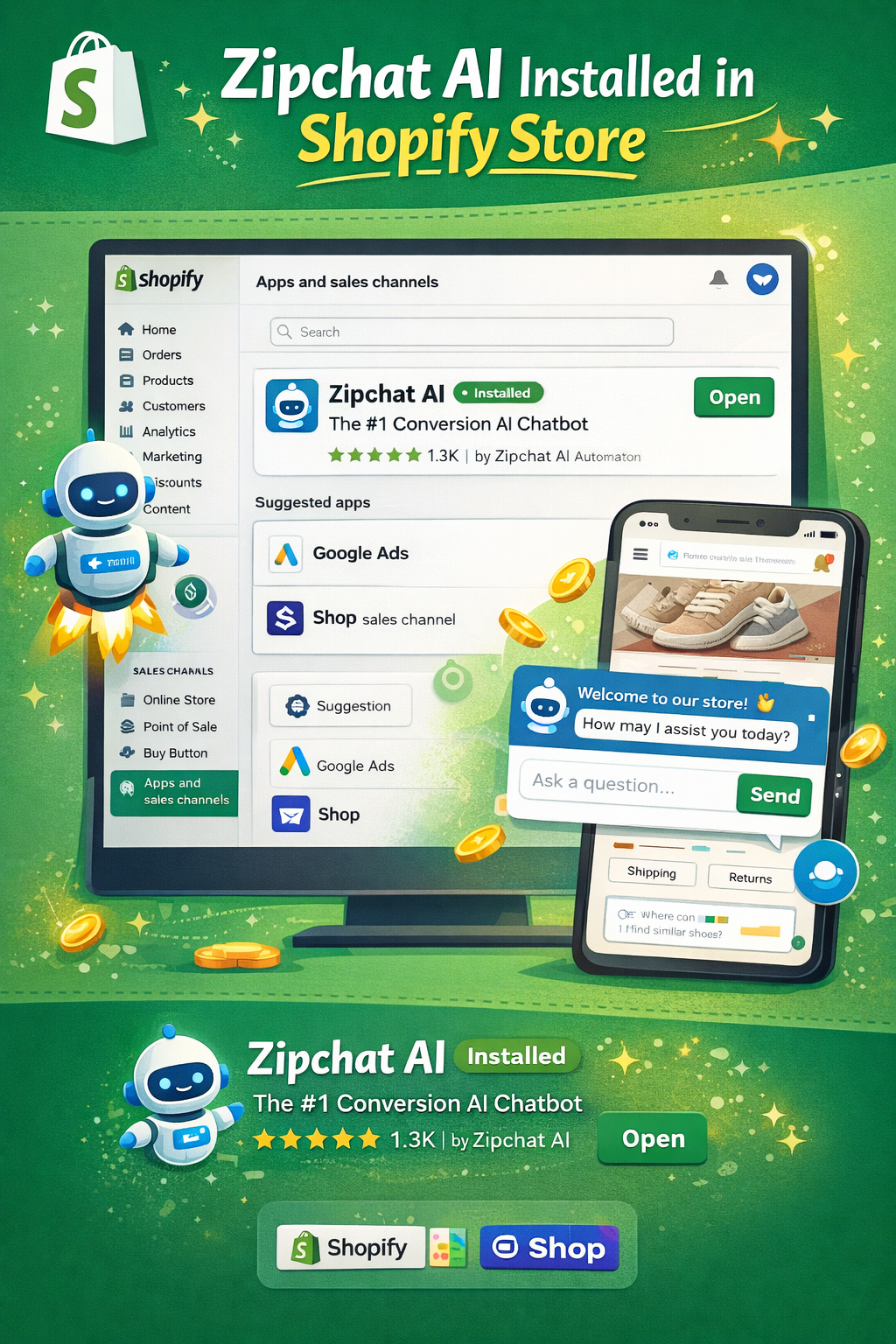
Customer support is often overlooked during setup, but it directly affects conversions and retention. Shoppers expect instant answers to questions about products, shipping, and returns.
By adding AI-powered chat tools like Zipchat, you can offer 24/7 support, handle common questions automatically, and assist shoppers during high-intent moments like checkout, all without adding support overhead.
7. Manage Orders and Fulfillment
Once orders start coming in, Shopify centralizes everything in one dashboard. You can track orders, manage refunds, update customers, and handle returns.
For growing stores, fulfillment becomes critical. Shopify fulfillment network and third-party logistics integrations help automate shipping, reduce delivery times, and scale operations smoothly as order volume increases.
By following these steps in order, you’re not just launching a Shopify store; you’re building a system that supports sales, customer experience, and long-term growth from day one.
Running a Shopify Store Day to Day: Operations and Marketing Strategy
Once your Shopify store is live, the real work shifts to daily operations. Most merchants spend their time managing workflows that keep orders moving, customers informed, and the store running smoothly.
Day-to-day tasks typically include reviewing new orders, confirming payments, and tracking fulfillment status to ensure deliveries go out on time. Inventory management is another ongoing responsibility, monitoring stock levels, updating product availability, and preventing overselling as demand changes.
Merchants also keep an eye on store performance using Shopify’s analytics, checking metrics like traffic, conversion rates, and sales trends. On top of that, maintaining installed apps is essential. As your store grows, you’ll likely rely on multiple tools for marketing, fulfillment, and customer support, all of which need occasional updates, testing, and optimization to keep everything working together efficiently.
Common Challenges When Selling on Shopify
Even with Shopify’s built-in tools, merchants often face recurring challenges as their store grows:
- Managing growing customer support volume
As traffic increases, so do questions about products, shipping, and orders. Handling these manually can quickly overwhelm small teams. - Maintaining a consistent customer experience
Responding quickly and accurately across channels becomes harder as inquiries spread across live chat, email, and social platforms. - Increased workload as the store scales
More orders mean more operational tasks, from fulfillment to refunds, often without a proportional increase in team size. - Product discovery issues as catalogs grow
Larger product catalogs can make it harder for shoppers to find the right items, leading to frustration and lost sales. - Abandoned carts and checkout drop-offs
Shoppers frequently leave without completing their purchase due to unanswered questions, unexpected costs, or checkout friction. Addressing cart abandonment is critical for improving conversion rates and recovering lost revenue.
Understanding these challenges early helps merchants put the right systems and automation in place before they start limiting growth.
How To Improve Customer Experience and Drive More Sales on Shopify
Customer experience on Shopify is shaped by how quickly and clearly you support shoppers before, during, and after checkout. Most buying friction comes from unanswered questions about sizing, delivery times, returns, or payment options, especially at high-intent moments.
Strong Shopify stores make it easy for customers to get help without leaving the page. That includes:
- Answering common pre-purchase questions directly on product and collection pages
- Supporting shoppers during checkout when hesitation or confusion appears
- Handling post-purchase questions like order status, delivery updates, and returns
As order volume grows, doing this manually becomes unsustainable. This is where automation and self-service tools matter. AI chatbots can handle repetitive questions, guide shoppers to the right products, and escalate complex issues only when needed.
Tools like Zipchat make this practical by offering 24/7 support across your Shopify store and messaging channels. Instead of replacing human teams, they absorb routine conversations, FAQs, order lookups, and shipping questions, so online shoppers get instant answers, and teams stay focused. For a deeper look at how this works, see how Shopify chatbots improve ecommerce experiences at scale.
Run a Successful Shopify Business and Scale Your Online Store
Selling on Shopify doesn’t end after setup. Successful stores treat operations, performance tracking, and customer experience as ongoing priorities.
That means:
- Managing daily workflows efficiently as order volume increases
- Monitoring store performance to spot issues early
- Keeping customer communication fast, consistent, and accurate
As stores grow, automation becomes less of a “nice to have” and more of a necessity. We all know how repetitive tasks and customer inquiries can slow teams down if they’re handled manually. That is why tools like Zipchat are created to help Shopify merchants streamline customer interactions by automating support conversations, reducing response times, and maintaining a consistent experience without adding headcount.
Want to automate repetitive work as your Shopify store grows? Explore Shopify marketing automation.
FAQ
How much does it cost to sell on Shopify?
Shopify plans start at a monthly subscription, with additional costs depending on apps, payment processing fees, and optional themes. Most beginners can launch with minimal upfront investment, then scale costs gradually as sales and operational needs grow.
How do you sell on Shopify for beginners?
Beginners sell on Shopify by creating an account, adding products, choosing a theme, setting up payments and shipping, and launching their store. The guided setup and app ecosystem put you through the nitty-gritty of how to sell on Shopify and make it accessible even without technical or ecommerce experience.
Is Shopify worth it for beginners?
Yes. Shopify is designed for ease of use, with built-in tools for products, payments, and marketing. Beginners benefit from its simple setup, large app ecosystem, and scalability, allowing them to start small and grow without switching platforms.


Try Zipchat for free