Try Zipchat in Action!
Enter your store URL to see how Zipchat would behave.


From Chat to Checkout: How AI Chatbots and Smart Tracking Unlock Hidden Revenue on Shopify
Most Shopify brands obsess over one thing: getting more traffic. But the smartest ecommerce teams know that the real growth lever is getting more value from the visitors who are already browsing your store.
If you’re using—or considering—an AI chatbot, you’re already ahead of the curve. However, a chatbot operating in isolation usually just improves customer support rather than actively scaling revenue. The real magic happens when you connect three crucial pieces of the puzzle:
- AI chat that deeply understands your products and customers.
- Smart tracking that makes every chat interaction visible to your marketing platforms.
- Post-chat tools that turn "maybe later" into actual, tracked orders.
In this guide, we’ll show you how to graduate from simply "having a chatbot" to turning conversational commerce into one of your most profitable marketing channels.
Key Takeaways
- Chat is a Sales Engine, Not Just Support: Modern AI chatbots act as 24/7 guided sales associates, not just FAQ answering machines.
- Invisible Data is Lost Revenue: Without server-side tracking and conversions API integration, your ad platforms can't learn from high-intent chat behaviors.
- Intent Must Be Captured: Using wishlists and targeted upsells bridges the gap between a helpful chat conversation and a finalized checkout days later.
Why Chat Alone Leaves Money on the Table
For most Shopify teams, the chatbot experience is pretty one-dimensional: A visitor asks about sizing or shipping, the AI responds quickly, and then... the trail goes cold. Some buy, many don't, and it’s nearly impossible to measure the true ROI of those conversations.
Typically, three major roadblocks appear:
- The Attribution Black Box: If your tracking stack isn’t optimized, chat-assisted purchases often get mislabeled as “direct” or “unknown” traffic in your analytics.
- Blind Ad Algorithms: Platforms like Meta and TikTok thrive on data. If they can’t see how chat interactions influence product views and add-to-carts, they can’t optimize your campaigns to find more of your best customers.
- Zero Follow-Up Strategy: Shoppers often show strong buying intent in chat but need time to think. Without wishlists, dynamic bundles, and automated reminders, that intent simply evaporates.
To unlock this hidden revenue, you need to connect your AI chatbot to a robust tracking and monetization stack. Here is the three-step playbook.
Step 1: Transform AI Chat into a Guided Selling Experience
An AI chatbot built for ecommerce should feel less like a robotic help desk and more like your top-performing retail floor associate.
On Shopify, industry-leading merchants use tools like Zipchat AI to:
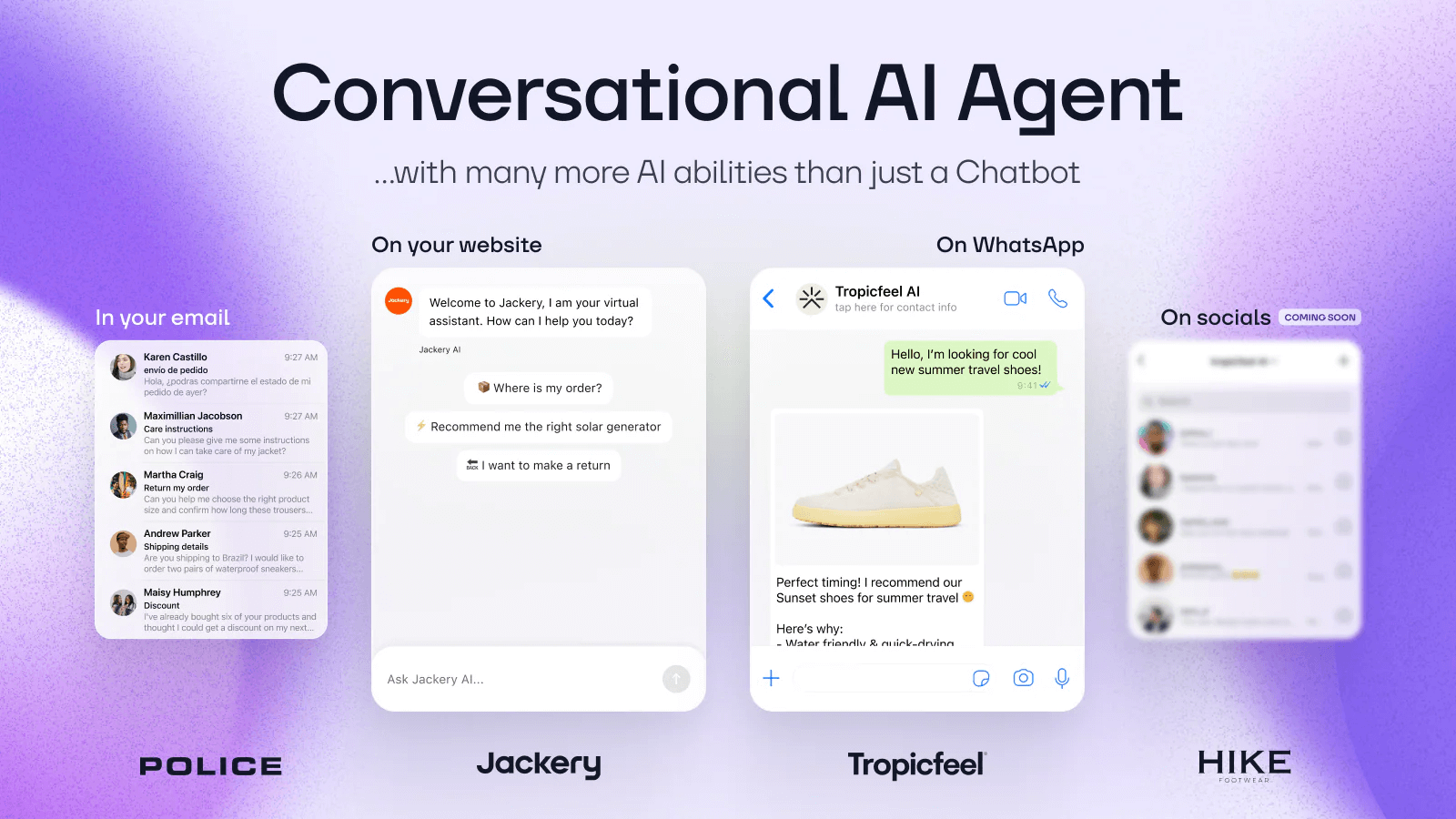
- Qualify and Guide: Ask shoppers about their specific goals, preferences, or constraints (e.g., skin type, budget, or personal style) to find the perfect product match.
- Overcome Objections: Instantly surface relevant reviews, return policies, and FAQs the moment a buyer hesitates.
- Recover Abandoned Interest: Gently remind returning visitors what they left behind in their cart or previous chats.
Because Zipchat connects directly to your Shopify catalog, it recommends real products with live pricing and accurate inventory. This guided shopping experience drastically reduces friction before the buyer clicks "Add to Cart."
Step 2: Make Every Conversation "Visible" with Smart Tracking
Behind the scenes, your tracking pixels dictate what your ad platforms can see. If your chatbot is recommending products but Meta doesn't know about it, you're wasting valuable retargeting data.
If you’re running Meta, TikTok, or Pinterest ads, you need a multi-pixel and Conversions API (CAPI) solution. Apps like Pixee ‑ Multi Pixel & Meta Ads act as the connective tissue between your Shopify store, your AI chatbot, and your ad campaigns.
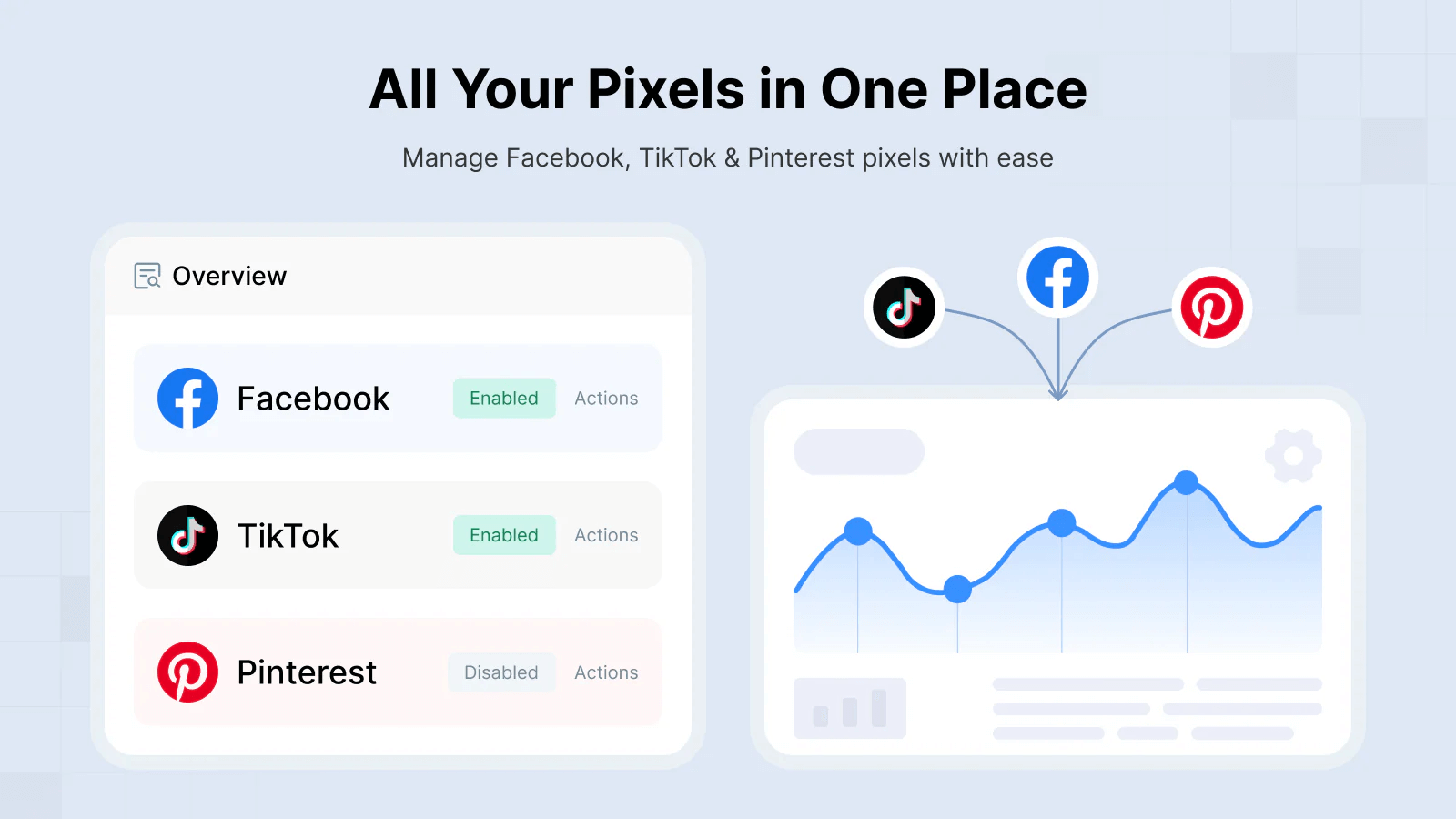
Here is how Pixee supercharges your chat:
- A shopper clicks a Meta ad, opens Zipchat, and gets a personalized product recommendation.
- Pixee seamlessly tracks what the user views, adds to their cart, and purchases using both standard browser pixels and robust server-side CAPI events.
- Your Shopify product catalog syncs automatically with Meta to power highly accurate Dynamic Product Ads (DPAs).
Instead of your chat widget being a black box, every key interaction becomes a powerful signal that trains your ad accounts to target better and lower your Customer Acquisition Cost (CAC).
Step 3: Capture Post-Chat Value with Wishlists and Upsells
Not every customer is ready to pull out their credit card immediately after a chat. That doesn’t mean the conversation failed; it just means you need a system to monetize that intent over a longer time horizon.
This is where your post-chat revenue layer comes in. Shopify apps like GP ‑ Wishlist & Upsell Suite are designed to catch the leads that are almost ready to buy.
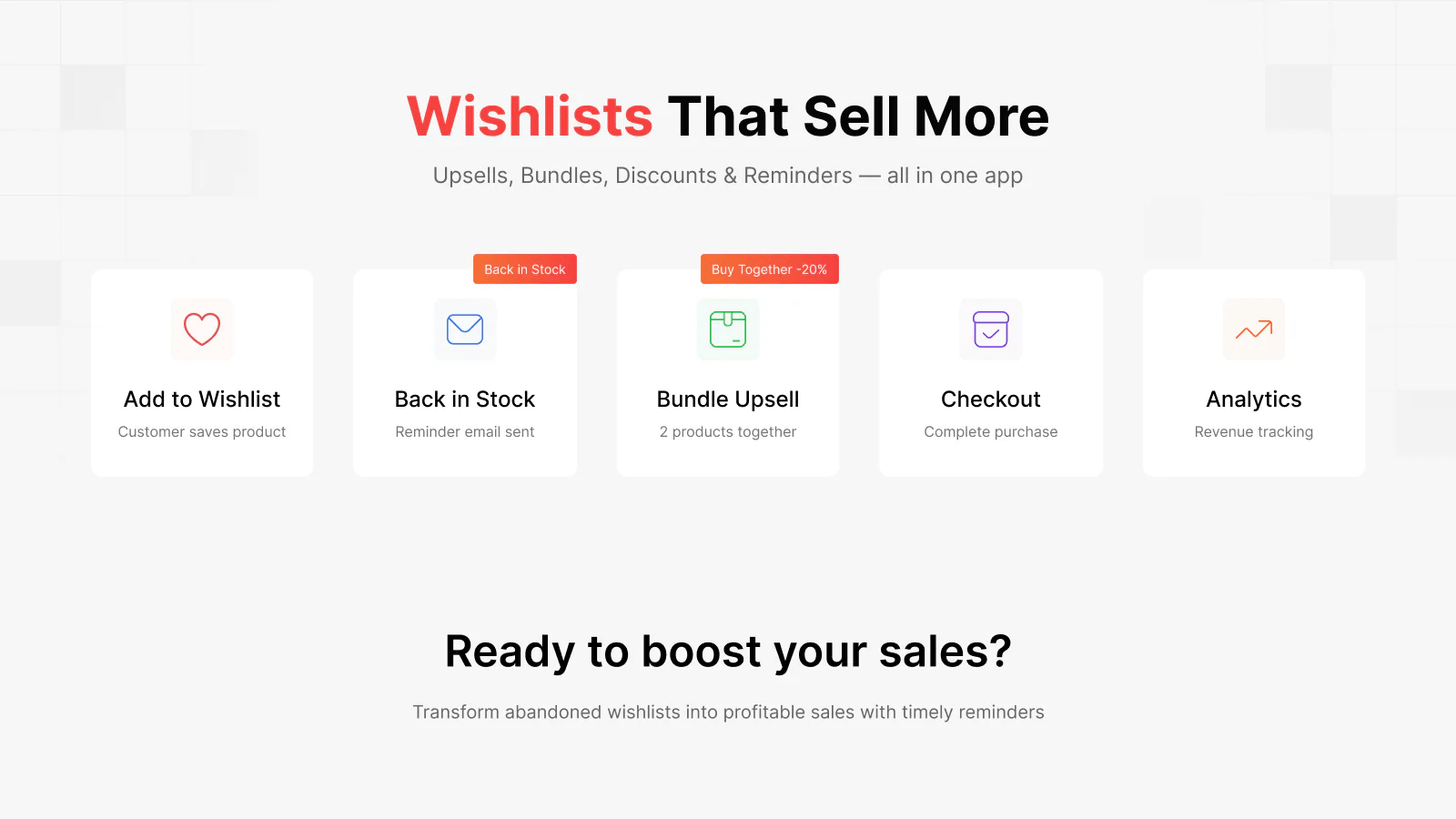
With a robust wishlist and upsell tool, you can:
- Allow visitors to easily save products recommended by the chatbot for later (without the friction of creating an account).
- Create automated bundles and upsell offers around items frequently discussed in chat.
- Trigger automated reminders when a wishlisted item drops in price or comes back in stock.
The result: A shopper chats with your bot about a skincare routine, saves three items to a wishlist, and leaves. Two days later, an automated bundle offer nudges them back to checkout. Pixee tracks the conversion, feeds it back to Meta, and your ad performance improves. The chatbot started the sale; your upsell stack finished it.
The Playbook: A Simple Framework for Shopify Teams
Ready to connect the dots? Here is the exact framework to implement this on your Shopify store:
1. Deploy Ecommerce-Native AI Chat
- Install Zipchat AI on your Shopify store.
- Sync your product catalog and knowledge base so the bot can provide context-rich, accurate answers.
2. Lock Down Your Tracking & Attribution
- Install Pixee to manage your Meta, TikTok, and Pinterest pixels in one place.
- Enable the Conversions API (CAPI) for reliable, server-side event tracking.
- Verify that critical events (View Content, Add to Cart, Purchase) fire consistently for users interacting with your chat.
- Sync your live product catalog to Meta to power Dynamic Product Ads.
3. Implement Intent-Capture Tools
- Install GP ‑ Wishlist & Upsell Suite.
- Enable guest wishlists to capture low-friction intent.
- Design smart cart upsells based on the product pairings your chatbot recommends most often.
4. Measure What Matters
- Track your chat-assisted conversion rate against your baseline site conversion rate.
- Monitor revenue generated from Dynamic Product Ads (fueled by your new tracking setup).
- Measure long-tail revenue generated from wishlist reminders and bundle upsells.
Why This Matters Right Now
Ecommerce teams are currently squeezed from all sides: ad costs are rising, budgets are tight, and customers demand instant, personalized support.
AI chat solves the support bottleneck, but it only solves the revenue bottleneck if it's integrated with a smart marketing stack. By combining Zipchat AI, Pixee tracking, and GP Wishlist & Upsells, "chat" stops being just an operational cost. It transforms into a highly measurable, conversion-driving engine that squeezes every drop of ROI out of your hard-earned traffic.
Frequently Asked Questions (FAQ)
1. How does an AI chatbot actually increase revenue, not just answer tickets?
Unlike standard rule-based bots, ecommerce-native AI chatbots integrate directly with your product catalog. They can cross-sell, up-sell, and guide users to specific products based on conversational prompts, effectively acting as an automated sales associate rather than just a support widget.
2. Why are my chat-assisted sales showing up as "Direct" or "Unknown" traffic?
This usually happens because standard browser tracking pixels get blocked by ad blockers or privacy updates (like iOS 14.5). To fix this, you need to implement server-side tracking (Conversions API) using a tool like Pixee, which ensures the data is accurately passed back to your analytics and ad platforms.
3. Do I need users to create an account to use wishlists after a chat?
Not necessarily! Modern tools like GP - Wishlist & Upsell Suite allow for "guest wishlists." This removes friction, letting shoppers instantly save the products your chatbot recommended without needing to create a store account first.
4. Can I retarget customers based on products they discussed in the chatbot?
Yes. By using a tracking app to sync your Shopify catalog to Meta Commerce Manager and capturing "View Content" events from the chatbot's product links, you can run Dynamic Product Ads (DPAs) that retarget those specific shoppers with the exact items they were asking about.
The Bottom Line
Treating your Shopify chatbot as just a fancy FAQ page means you are leaving money on the table.
By combining conversational AI with smart tracking and strategic post-chat tools like wishlists, you transform casual visitor questions into measurable, revenue-driving opportunities.
The technology is already here—it’s just a matter of connecting the dots to ensure every chat, click, and saved item works seamlessly together to grow your bottom line.




Try Zipchat for free